
Menu Bar Apps Tools
282 best Menu Bar Apps tools and apps, curated and ranked by community upvotes on ProductCool. Updated daily as new Menu Bar Apps products launch.
DynamicLake - Dynamic Island for Mac · Plugins · Notifications · Drag and drop · Converter · Calls · Airdrop · Timer · and more

Thoughts is a menubar app for your Mac which helps you keep notes quickly using text, images and voice. Add your favorite agent API key and it'll also help transcribe audio, context images to text and help do simple text-tranforms like capitalization, translations and spelling fixes. Think of it as a fun small multi-tool for your menubar.
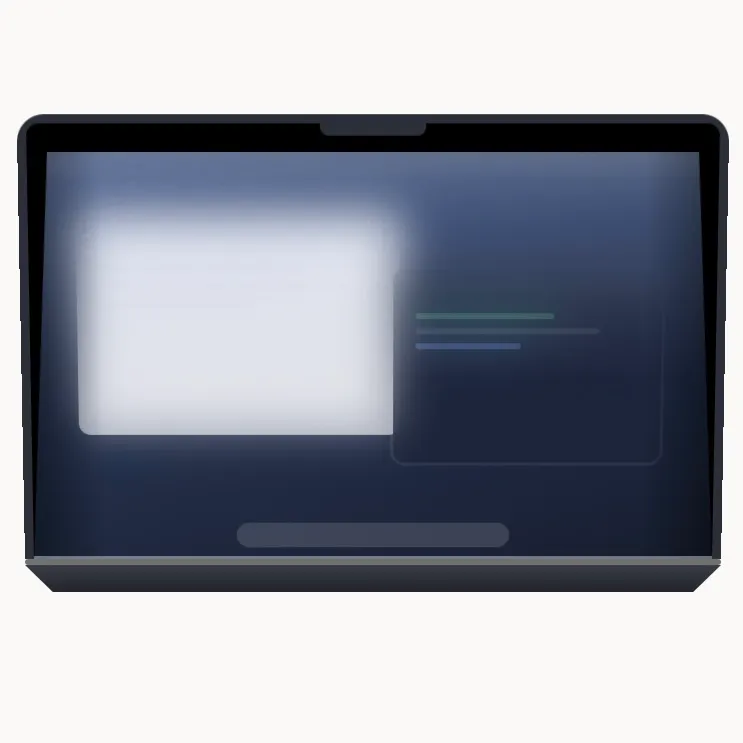
A macOS app that turns your display into frosted glass as you close the lid. Driven by the hinge sensor, so it moves at the speed of your hand.
Tangerine is a Mac app for converting files simply with Shift-drag. Hold Option for advanced tools. Convert and compress images, videos, audio, PDFs, and archives, remove metadata, redact documents, and annotate photos. All locally, without uploading your files.
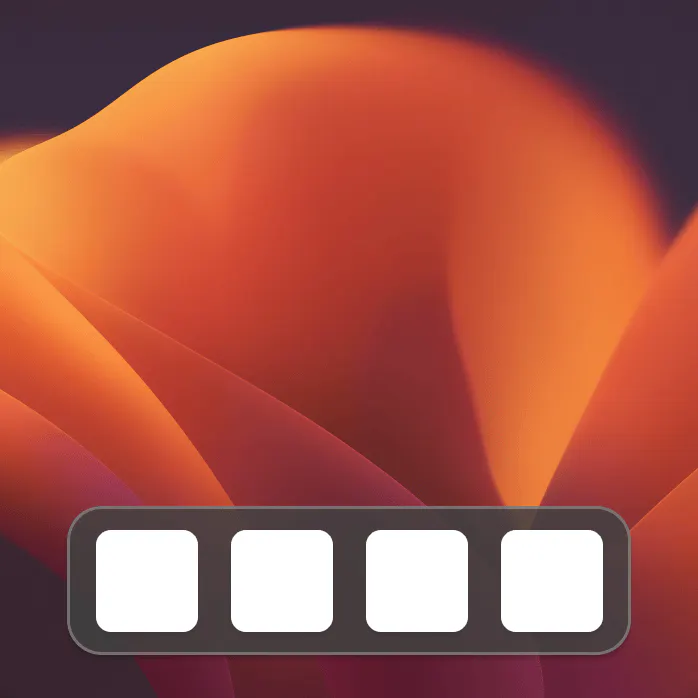
Replace the macOS Dock with one that is truly yours. Custom colors, icons and animations, plus widgets, window previews and a file shelf.
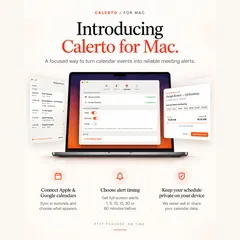
Calerto turns your calendar into alarms you can't sleep through. Full-screen meeting alerts — not another notification you'll swipe away — with custom prep time per meeting, Apple + Google Calendar sync, a menu bar countdown to what's next, and automatic launch at login (toggle it off anytime). Pause alarms without losing them. Pro auto-alarms your whole week. Your calendar data never leaves your device. Never be late again.

A quiet menu-bar button that closes every running app the moment you need a clean slate. Free, private, and cross-platform for macOS, Windows, and Linux.

I built this because I got sick of re-pairing my Magic Keyboard and Mouse every time I moved between my MacBook and my work MacBook — different Apple IDs, so Universal Control was never going to work for me. LinkFlick just flicks them over Bluetooth instead. Hotkey, or tell Siri "flick devices," done. Menu bar app, customizable hotkey, and it nags you before your Magic Mouse battery dies. Still rough around the edges in places, but it works, and it's mine.
I miss my dog when I am at my desk all day. So now he lives in my menu bar. Drop in a photo and Vibe Eyes turns your own pet into a tiny animated avatar up there. It follows your cursor, blinks at you, winks when you click and looks up when you have been away. Small stuff, but you catch yourself glancing up and smiling. Eleven pets built in, free. Making your own is a $14.99 one-time unlock plus your own AI key. No subscription, no backend, your photo never touches my server.
Word-synced desktop lyrics for Apple Music, Spotify, QQ Music, NetEase, Kugou, and for YouTube Music or Spotify Web in a browser. Nine lyric providers are queried at once and every candidate is scored on one scale — title, artist, album, duration fit, word-level timing — so live takes, Cantonese versions and radio edits get the words that actually match. Shows up as a floating overlay, a Dynamic Island capsule, an Apple-Music-style window, or in the menu bar. Free and open source, no account.
Glance at traffic. Leave on time. CommuteBar puts live commute times visibly on your Mac menu bar, no app-switching required. Save multiple destinations like office, school, gym. Schedule automatic switching for recurring commutes and get leave soon / leave now indicators and optional notifications. You also get route comparison, delayed traffic alerts and different travel modes.

Fix spelling and grammar anywhere on your Mac. Select text, press the shortcut, and the corrected version replaces it where it sits. A second shortcut strips the AI slop out of anything that reads like a machine wrote it. @Mentions, dates and times are untouched. It runs on the model built into macOS. Nothing you select is uploaded. Needs macOS 26 with Apple Intelligence.
Take back your menu bar. Hide what you don't need, find anything in a keystroke, and make the bar look the way you want. Free and open source. Private by design: no tracking, no account, nothing ever leaves your Mac.
Roadie is a menu-bar audio switcher for Mac. Rank microphones and speakers once, and it automatically restores the best available device after reconnects, wake, login, or macOS changes. Manual choices still win until the device set changes. Pause anytime, avoid unwanted outputs, and stay private: routing runs locally and Roadie never captures audio.
A ball hangs from your Mac menu bar on an elastic tether. Drag it, fling it, slingshot it. It bounces off your actual app windows, rolls along their edges and settles into the Dock. Cut the rope and it goes loose across the desktop. Real physics, not a canned animation, so it never does the same thing twice. One key hides it the instant somebody says your name. No account, no subscription, nothing leaves your Mac.
Caplio turns scattered screenshots and images into a private, searchable library on your Mac. Think of it as a lightweight asset manager for screenshots and everyday images. Add your folders, and Caplio automatically watches, indexes, and extracts text with on-device OCR. Browse by timeline, search, or category; organize files automatically, then drag any image straight into another app. No uploads or cloud OCR. Your images stay on your Mac.

Skud lives in your Mac menubar. Drop any file → uploads, copies a branded link, tracks who opens it. Custom brand (logo, colour, cover image), password protection, expiration control. Free for 1 GB deliveries. Built for designers and studios who want ownership.
Streamline your daily workflow and eliminate window clutter with Tiles, the ultimate workspace manager for macOS. Whether you're transitioning from deep coding sessions to client meetings, or juggling research, writing, and design tools, Tiles lets you capture your ideal desktop layout's and bring them back with a single click, keyboard shortcut, or widget.
NotchDrop v2 turns your MacBook notch into a smarter, more useful workspace. Access productivity tools, screen recording and editing, file sharing, system stats, live wallpapers, calendar, calculator, terminal tools, and more all directly from the notch. This update introduces **NotchDrop Studio**, a built-in screen recording editor, along with Live Wallpaper, Draw Signature, Keep Awake, improved file sharing with AirDrop and local networks, customizable themes, and a redesigned interface.

Fide Island turns your MacBook notch into a compact, fluid command surface. Control media, check your calendar, keep files and clipboard items close, run quick calculations, and see system feedback - without leaving what you're doing.
Codex working across 5 worktrees? Treebar shows you where it is, what’s changing, and how many agents are working, all from your MacBook notch. Treebar watches Git and Codex, to see where and what it's working on. Made this months ago because I kept losing track of where Codex was working. Finally decided to ship it. I’m also open sourcing the core soon.