
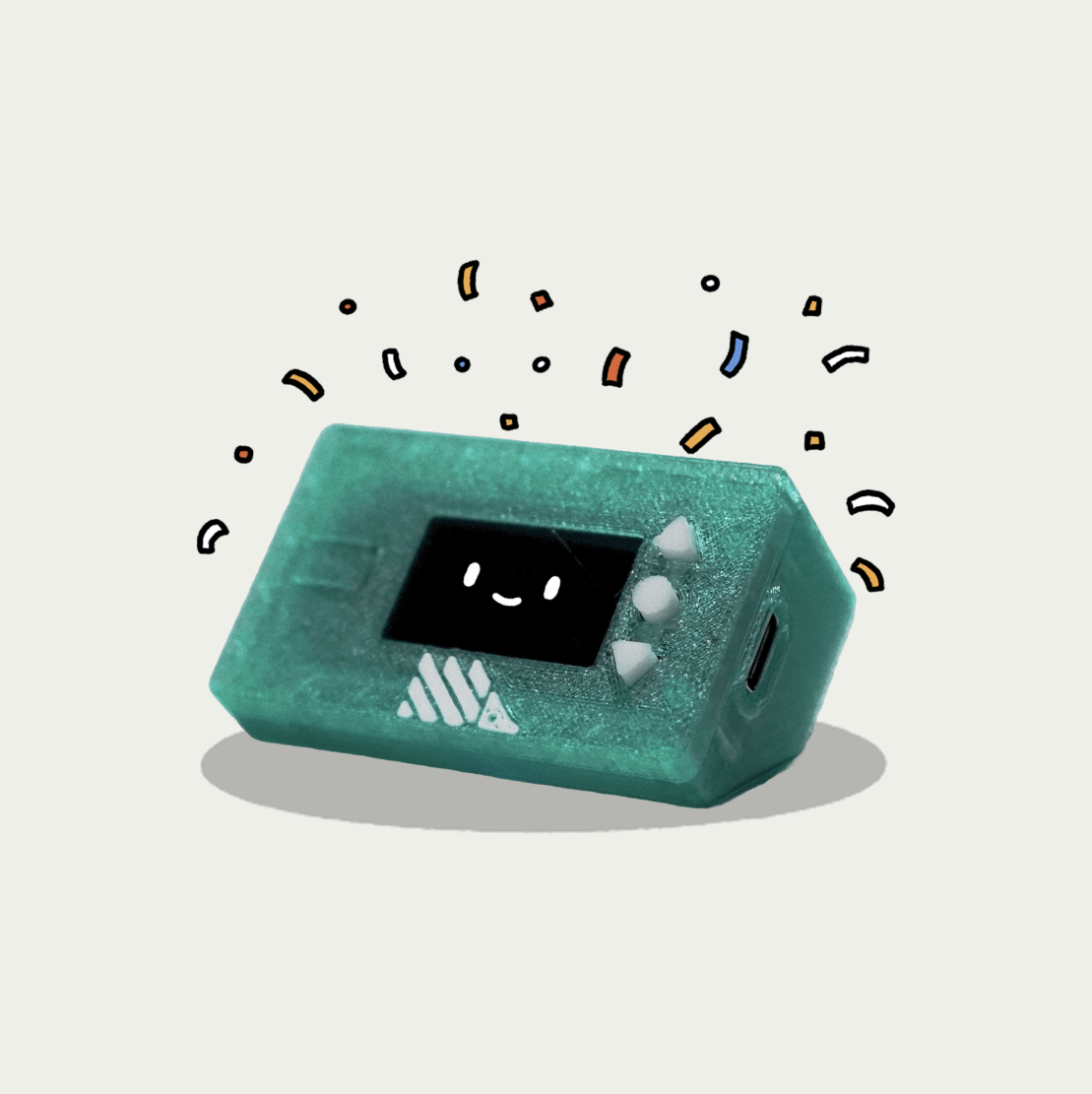
Product Introduction
- DeskHog is an open-source, 3D-printed, palm-sized developer toy designed to combine entertainment and productivity for tech enthusiasts. It functions as a micro games console, a desktop terminal for PostHog data visualization, and a customizable hardware platform powered by an ESP32-S3 processor. The device includes a 240x135 color TFT display, WiFi connectivity, and a 10-hour battery, packaged in a hand-assembled enclosure.
- The core value of DeskHog lies in its ability to merge playful experimentation with practical utility, offering developers a hackable platform for building games, tools, and integrations. It emphasizes open-source flexibility, enabling users to modify hardware and software while providing out-of-the-box functionality for both recreation and work.
Main Features
- DeskHog features an ESP32-S3 Dual Core 240MHz processor with 4MB Flash memory, 2MB PSRAM, and 512KB SRAM, supporting complex applications and multitasking. The 1.14" IPS TFT display (240x135 pixels) ensures crisp visuals for games like Pong and Flappy Bird, while the STEMMA QT (I²C) expansion port allows hardware add-ons such as additional buttons or sensors.
- The device includes a 10-hour rechargeable LiPo battery with low-power sleep modes (40-50µA), USB Type-C charging, and MAX17048 battery monitoring for extended portability. Its 3D-printed PETG enclosure is designed for friction-fit assembly, with open-source CAD files available on GitHub for customization or self-printing.
- Preloaded software includes retro-inspired games like Pog (Pong clone) and IdleHog, productivity tools like a Pomodoro timer, and PostHog integration for real-time data visualization. Users can develop custom applications using AI-assisted editors or C++, with WiFi and BLE enabling over-the-air updates and data synchronization.
Problems Solved
- DeskHog addresses the lack of affordable, portable, and hackable hardware that bridges gaming and developer productivity. It eliminates the need for separate devices for casual gaming, data monitoring, and prototyping by integrating these functions into a single palm-sized unit.
- The target user group includes developers, hardware tinkerers, and PostHog users seeking a playful yet functional tool for desk-based experimentation. It also appeals to retro gaming enthusiasts interested in modding hardware or creating custom mini-games.
- Typical use cases include using DeskHog as a PostHog terminal to display analytics dashboards, developing indie games with the ESP32-S3 SDK, or integrating I²C peripherals for IoT prototyping. It serves as a conversation starter for team-building via preloaded icebreaker tools or a distraction-free productivity aid with its Pomodoro timer.
Unique Advantages
- Unlike commercial microconsoles, DeskHog is fully open-source, with schematics, firmware, and 3D models publicly accessible for modification. Its integration with PostHog’s analytics platform distinguishes it from generic ESP32 development boards, enabling direct data visualization without external setups.
- Innovative features include a captive portal for QR-based WiFi configuration, hand-assembled enclosures with artisanal craftsmanship, and preloaded satirical games like "Dictator or Techbro: Mobile Edition." The STEMMA QT port allows seamless hardware expansions, such as dials or environmental sensors, without soldering.
- Competitive advantages include PostHog’s ecosystem support, enabling real-time insight syncing, and a community-driven roadmap with user-submitted game templates. The DIY version’s affordability (requiring ~$30 in components) and upcoming DeskHog Pro with enhanced peripherals further solidify its market position.
Frequently Asked Questions (FAQ)
- Can DeskHog run Doom? DeskHog’s ESP32-S3 hardware currently supports 2D games like Pong and Flappy Bird, but 3D rendering for Doom is under active development. The team is optimizing the display driver and memory allocation to enable rudimentary 3D gameplay in future firmware updates.
- How do I connect DeskHog to my PostHog project? Scan the QR code on the device to open a captive portal, then authenticate via PostHog’s API to sync insights. The Insight Keeper-upper tool pulls data like trend graphs or big numbers, which are displayed on the TFT screen in real time.
- What components are needed for the DIY version? The DIY kit requires a 3D-printed case (files on GitHub), an ESP32-S3 Reverse TFT Feather board, a 1350mAh LiPo battery, and tactile buttons. Assembly instructions and a Bill of Materials are provided in the DeskHog GitHub repository.


