
Product Introduction
Definition: Crew is a specialized macOS desktop companion application (macOS 13+; Universal binary supporting Apple Silicon and Intel) designed exclusively for Claude Code, Anthropic's terminal-based AI coding agent. It functions as a visual session monitor and workflow supervision layer, assigning a distinct, procedurally-hashed pixel-art "creature" to each active Claude Code chat session and subagent process. The application runs as a lightweight desktop overlay, rendering a persistent status lane along the bottom edge of the screen. By reading local Claude Code status files, it visualizes the real-time state of every concurrent terminal session without requiring cloud sync or sending telemetry data off-device. The entire application is 903 KB, installs via a 33-line shell script (
curl -fsSL https://crew-deskmates.vercel.app/crew/get.sh | bash), and configures its own Claude Code hooks automatically upon first launch.Core Value Proposition: Crew solves the critical developer workflow bottleneck of "context switching overhead" in multi-session AI coding environments. Its primary purpose is to eliminate the need for constant alt-tabbing through terminal windows to check whether an AI agent is thinking, waiting for input, or finished. By providing a persistent, always-visible desktop notification interface with "at-a-glance" session status, it reduces visual scanning time and cognitive load for developers running parallel Claude Code agents. It also introduces a "Pro" tier ($12 one-time payment) that offers an inline command approval widget, enabling developers to approve or deny Bash tool permission requests directly from the desktop overlay without switching to the terminal.
Main Features
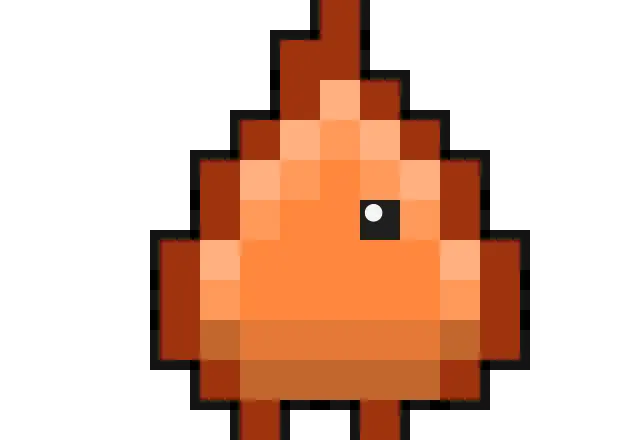
Deterministic Session-to-Species Mapping: Crew implements a hashing algorithm that deterministically assigns every chat session and subagent process to one of ten distinct pixel-art species (Ember, Sprout, Puddle, Spark, Boulder, Breeze, Moth, Grub, Glitch, Beacon). This mapping is stable for the entire session duration, meaning that a specific species always represents the same chat thread. Subagent working under a parent chat inherit the parent's species but are visually grouped in a "squad" formation on a small platform. This design allows developers to immediately identify which session is which based on pattern recognition, rather than reading text labels. Named examples from the product documentation include: Puddle consistently representing the
code-reviewersubagent, Spark representingPlanmode, Boulder representinggeneral-purpose, Breeze representing theExploresubagent, and Glitch representingstatusline-setup.Live State Visualization Engine: The core functional layer of Crew is a real-time status rendering engine that translates Claude Code's internal state machine into animated creature behaviors. The application reads local status files generated by Claude Code's hook system to infer the agent's current operation. The visual states include: "Thinking" (the creature shows a thought indicator), "Running a tool" (the creature physically digs or performs a tool action animation), "Waiting on user" (the creature becomes idle or appears at rest), and "Done" (the creature waves). Additionally, a "Needs-you alert" triggers when a session becomes blocked on user input, causing the creature to hop upward and display a flag or warning indicator to draw the user's attention. This transforms otherwise invisible asynchronous process states into a continuous, glanceable visual status bar.
Pro: Inline Command Approval Interface: This Pro-exclusive feature bridges the desktop overlay and the terminal's permission system. When Claude Code's Bash tool prompts for user authorization (Allow/Deny), Crew intercepts the request and renders the command text directly in the desktop UI, accompanied by clickable Allow and Deny buttons. The displayed command example (
git push origin main) illustrates how a developer can authorize sensitive operations without navigating away from the current window. This feature effectively reduces the interaction cost for approving tool calls, which is the most frequent unblocking action required when running multiple autonomous coding agents.Pro: Tap-to-Jump Session Switching: This functionality transforms the row of creatures into a visual application switcher. Clicking any creature on the desktop lane brings the corresponding terminal window running that Claude Code chat session to the foreground. This replaces the traditional alt-tab + visual window scanning method with a one-click action directly tied to the session's visual representation. It is explicitly positioned as "the fastest way to juggle parallel agents."
Hover-to-Inspect Cards: Moving the cursor over an individual creature reveals an inspection card without clicking. This card provides additional session metadata beyond the visual state, allowing for a detailed reading of the current operation. This is a zero-cost deep-dive interaction: the overview is free at a glance, and the details are available on hover, preserving screen real estate.
Pro: Local Telemetry Dashboard & Gamification System: The Pro tier adds a comprehensive dashboard that aggregates session metrics, including token usage, cost per project, and per-project statistics. This provides developers with quantitative insight into their Claude Code usage. Complementing this is a gamification layer called "Playtime," which includes interactive elements like snack feeding, a ball, and chase games. Additionally, the app provides atmospheric integrations: weather reactions (the creature reacts to weather conditions) and git/test reactions (creature responds to git status events or test outcomes). Other cosmetic and system features include accessories, "shinies," persistent resident pets, multi-monitor support, and launching at login.
Problems Solved
Pain Point: Overhead of Multi-Session Monitoring. Running five concurrent Claude Code chats (as the landing page copy states: "Running five chats at once is easy") creates a severe monitoring problem. Developers traditionally must alt-tab through every terminal window to determine which session is waiting for input, which is still running, and which has completed. This creates continuous context-switching interruptions that fragment developer focus and reduce coding flow state. Crew eliminates this by making the state of every session visible on the desktop's edge permanently, without requiring a window switch.
Pain Point: Missing Critical Approval Requests. When an AI agent requires permission to run a command (e.g.,
git push origin main), the request can go unnoticed if the developer is focused on another window. This leads to idle agent waiting time and blocked automation pipelines. Crew's Pro-tier inline Allow/Deny prompt surfaces these permission requests physically into the developer's line of sight, ensuring they are seen and resolved promptly.Target Audience: The primary user personas are:
- AI-Assisted Software Engineers: Developers who actively use Claude Code to write, refactor, and debug code and are running multiple agent sessions simultaneously to handle parallel tasks.
- Technical Leads & Code Reviewers: Professionals running dedicated subagents like
code-reviewerorExplorewhile doing their own manual coding, requiring a passive awareness of agent progress. - Automation Scripters / API Power Users: Individuals running long-lived autonomous agent processes (e.g., statusline-setup, claude-code-guide subagents) who need to trigger or verify process completion without micromanaging terminal windows.
- Mac-centric Developer Tooling Enthusiasts: Developers who prefer purpose-built macOS native utility applications (menu bar apps, overlay widgets) over terminal multiplexer status lines.
Use Cases:
- Parallel Agent Orchestration: A developer launches multiple Claude Code sessions to handle separate coding workstreams (e.g., one session fixing a backend bug, another writing frontend tests, and a third doing a code review). Crew provides a single-pane-of-glass view to monitor all three.
- Long-Running Command Supervision: A developer starts a lengthy refactoring or migration task and switches to documentation or other work. Crew's "Done" wave alert notifies the developer of completion, eliminating the need to periodically check the terminal scrollback.
- Security-Conscious Command Vetting: While a session is executing autonomous code changes, a permission prompt appears for a sensitive command. The developer, sitting in full view of the screen, can see the exact command in the Crew overlay and click Allow from where they are, maintaining attention on their current context.
- Subagent Team Management: During complex agentic tasks with multiple spawned subagents, the "squad" grouping visually correlates child processes to their parent chat, clarifying task hierarchies that are typically hidden in text logs.
Unique Advantages
Differentiation vs. Traditional Alternatives: Compared to built-in terminal multiplexers (
tmux/zellij), terminal-based Claude Code status line plugins, or merely "checking the terminal periodically," Crew provides a non-blocking, always-on visual feedback channel. Traditional methods require a window to be in focus to see relevant text. Crew moves the status signal off the foreground application's visual field into the screen's periphery (bottom edge), effectively creating a persistent eyes-free dashboard. Compared to generic notification tools (macOS Notification Center), Crew provides continuous ambient awareness rather than a transient banner that disappears after a few seconds.Key Innovation: The most mechanically innovative aspect is the combination of the deterministic hashing of session IDs into distinct species with a file-based local status polling system. Each chat hash is stable, creating a "memory" that allows the user to learn species-session associations over time. The app integrates with Claude Code by automatically setting up its own hook configuration, which establishes a two-way communication lane: hooks push operation states (tool call start/stop) to Crew via local status files. This architecture allows Crew to function without remotely tracking user data, satisfying the strict "Stays on your Mac" privacy promise. The app's ability to render a physical "command card" with Allow/Deny buttons outside of the terminal's UI text is also a distinct technical achievement in desktop-agent interaction design.
Frequently Asked Questions (FAQ)
Does Crew send any of my code or chat data to the internet? No. Crew operates fully offline and reads only local status files generated by Claude Code. The application architecture explicitly avoids telemetry, cloud processing, or external API calls. Installation itself is designed to be verifiable: the install script is 33 lines long and published for public review, and the downloadable zip is hashed (sha256: f1d983df5f0e291922da37b8849619c23b1f90398041ea22902af1d959871c4f) for integrity verification. Pro licensing is also verified locally on your machine, with no data transmitted.
Is Crew free to use, and what is the difference between the free version and Crew Pro? Crew is free forever and includes core monitoring: a creature per chat & subagent, live states, squads & tool props, hover-to-inspect cards, and single-display support. Crew Pro is a one-time $12 payment (lifetime updates) that adds Tap-to-jump session switching, Playtime games (snacks, ball, chase), a full dashboard with token/cost/project stats, weather & git/test reactions, accessories, resident pets, multi-monitor support, and launch-at-login. There is no subscription and no account required.
What are the system requirements and prerequisites for running Crew? Crew requires macOS 13 (Ventura) or newer, a Universal binary build that runs natively on both Apple Silicon (M1/M2/M3/M4) and Intel Macs, and a working installation of Claude Code. The application itself is a 903 KB download that sets up the required Claude Code hooks automatically on the first launch. Setup takes approximately one minute: unzip, drag to /Applications, right-click → Open (first launch only, to bypass the notarization warning), and click "Connect to Claude Code."
How do I purchase Crew Pro and receive the licence key? The process is manual and privacy-preserving. After installing the free version, open the app, navigate to the 👥 menu, and select "Enter licence key…" which displays an 8-character code unique to your Mac. Email this code to the developer, who will send back a Pro licence key tied to that specific Mac. Paste the key into the app to permanently unlock Pro. The licence is hardware-bound, so it is recommended to send the code from the machine where you intend to use Pro. The developer offers a no-questions-asked refund if the product is not suitable.
Why do I see a warning when installing Crew on my Mac, and is it safe? The macOS warning (right-click → Open is required) appears because the Crew zip file is not notarised by Apple. This is a developer-side signing process that has not yet been completed, not a statement on the code's safety. To bypass the quarantine flag entirely, you can install via the terminal command
curl -fsSL https://crew-deskmates.vercel.app/crew/get.sh | bashbecause files fetched viacurldo not receive the quarantine attribute. The install script is intentionally short (33 lines) and published for transparency, allowing technical users to audit exactly what is being executed before running it.


