
Apple Tools
196 best Apple tools and apps, curated and ranked by community upvotes on ProductCool. Updated daily as new Apple products launch.

Community-submitted performance benchmarks for local AI models on any hardware, any runtime, any quantisation.

Connect the tools you already usefrom Stripe and PostHog to Google Analytics and your own database. Pick the KPIs you care about, arrange them your way, and keep them live in a tiny, customizable dashboard built around your MacBook notch. 100% local. Your data never leaves your Mac.

DynamicLake - Dynamic Island for Mac · Plugins · Notifications · Drag and drop · Converter · Calls · Airdrop · Timer · and more
OVO is a premium music player for iPhone, iPad, and Apple Watch. Bring local files, Apple Music, supported SoundCloud content, live streams, and synced folders into one focused library. Listen offline, shape playback with a 10-band EQ, and privately sync your library between iPhone and iPad through iCloud.

Relic remembers everything you copy, understands it on-device, and syncs it across your phones and computers, sealed so only you can read it. Save things you want to find more easily later, and bring them up with a hotkey without leaving your keyboard. Works with files, images, text snippets, and anything that might not have a home in your setup.

AirPods 5 brings better active noise cancellation to the open-ear design, along with a smarter Siri that can hold real conversations and live translation for talking across languages. Built for calls, workouts, and everyday listening. Available September 18, 2026.
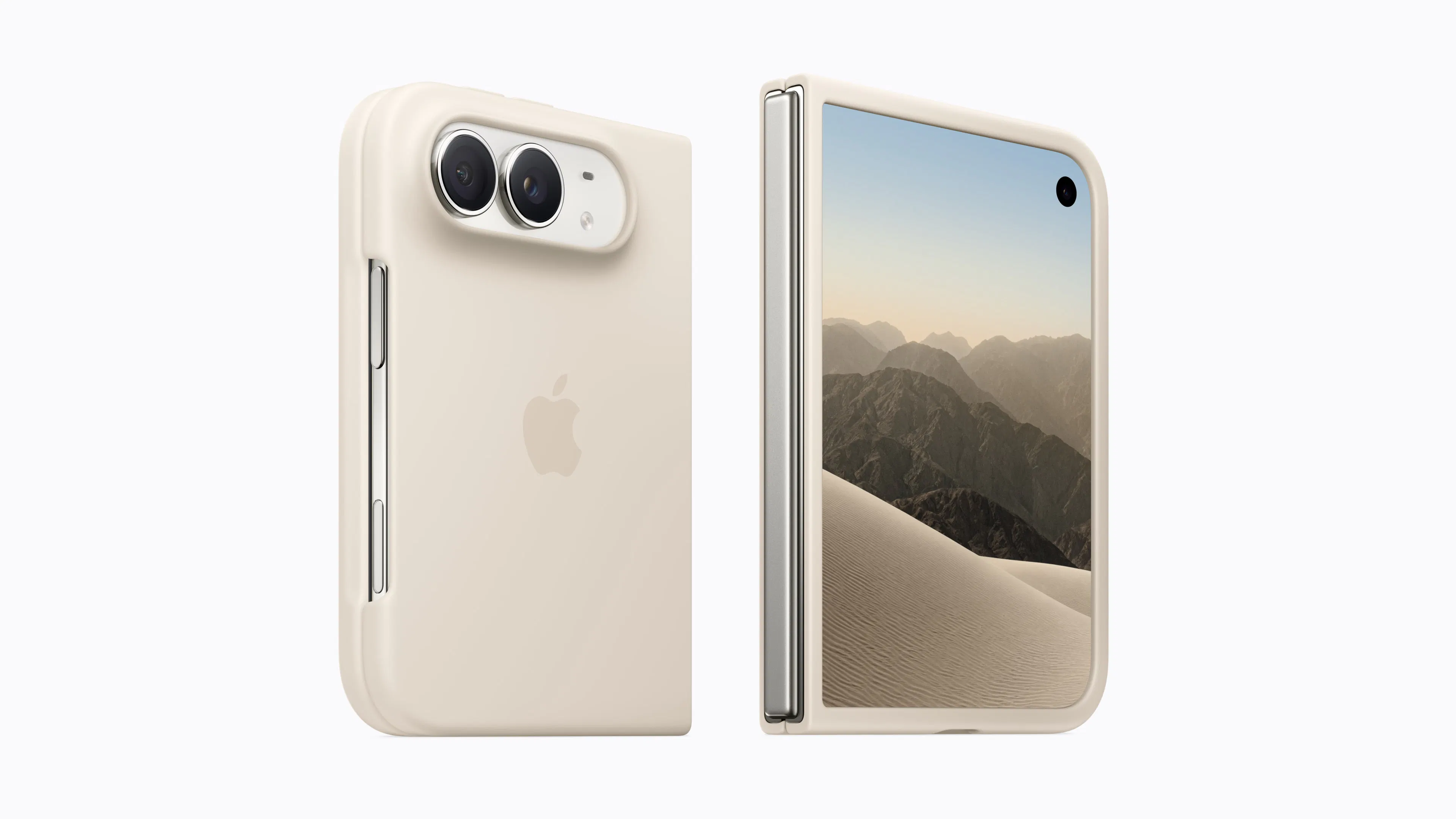
Introducing iPhone Duo, the first foldable iPhone. When open, it’s the thinnest iPhone with the largest display ever — 50 percent larger than iPhone 18 Pro Max. And it has an outer display with more than 90 percent of the screen area of iPhone 18 Pro. Through reimagined iOS experiences, it offers unparalleled versatility in all-new poses and orientations. All in a durable, pocketable design. It’s an iPhone unlike any iPhone.

ipatool is a command-line utility that enables developers and researchers to search for and download app packages (IPA files) from the official App Store. It solves the problem of needing to manually extract or acquire these packages for tasks like security research, compatibility testing, or archival purposes. This tool is primarily for security researchers, iOS developers, and archivists who require direct access to app binaries outside of a standard iOS device.
Streamline your daily workflow and eliminate window clutter with Tiles, the ultimate workspace manager for macOS. Whether you're transitioning from deep coding sessions to client meetings, or juggling research, writing, and design tools, Tiles lets you capture your ideal desktop layout's and bring them back with a single click, keyboard shortcut, or widget.
Einfall catches the fugitive thought — the one that falls into your head at the strangest times — before it's gone. Capture quick and easy on Mac, iPhone and iPad, from the menu bar, share sheet, Shortcuts, widgets, Spotlight and Siri. Process the thoughts by sending them to Reminders, Calendar, Files, a Shortcut, or by giving your AI agent control via MCP. Capture is free and unlimited. After the first 15 routing actions, a one-time $29.99 purchase unlocks unlimited routing.

NotchDrop v2 turns your MacBook notch into a smarter, more useful workspace. Access productivity tools, screen recording and editing, file sharing, system stats, live wallpapers, calendar, calculator, terminal tools, and more all directly from the notch. This update introduces **NotchDrop Studio**, a built-in screen recording editor, along with Live Wallpaper, Draw Signature, Keep Awake, improved file sharing with AirDrop and local networks, customizable themes, and a redesigned interface.
Mac mini now comes with M6 and M5 Pro, bringing faster performance, Apple Intelligence, Wi-Fi 7, and faster storage to Apple's compact 5-inch desktop. Built for coding, creating, and getting work done.
Codex working across 5 worktrees? Treebar shows you where it is, what’s changing, and how many agents are working, all from your MacBook notch. Treebar watches Git and Codex, to see where and what it's working on. Made this months ago because I kept losing track of where Codex was working. Finally decided to ship it. I’m also open sourcing the core soon.
Aximote brings the data from your car to your iPhone and turns every drive into something you can understand. Trips appear automatically with insights into consumption, charging, costs and driving efficiency. Customize a dashboard with 20+ vehicle metrics, compare trips and long-term trends, manage multiple cars, and keep one continuous driving history—even when you switch brands. No additional hardware required.
Local Music Organizer is a native macOS toolkit built for large local music collections. It works with Music.app libraries and standalone audio files, with no Apple Music subscription required. Find duplicates and missing files, compare playlists, inspect metadata, detect suspicious upscales and transcodes, view spectra and waveforms, and repair or convert rare formats offline. Your music stays on your Mac. Try every feature free for 3 days, then unlock it with one purchase. No subscription.
Aximote brings the data from your car to your iPhone and turns every drive into something you can understand. Trips appear automatically with insights into consumption, charging, costs and driving efficiency. Customize a dashboard with 20+ vehicle metrics, compare trips and long-term trends, manage multiple cars, and keep one continuous driving history—even when you switch brands. No additional hardware required.

PawVis turns your Mac’s webcam into a hand-tracked mouse, no extra hardware required. Raise your hand and the cursor follows, dip a finger to click, and fold two fingers to scroll. Map gestures to custom actions like window management or any app/command from a series of common gestures or train your own. Everything runs 100% on-device, and PawVis is free and open source. Enable optional voice control for hands-free commands, or pass computer-use tasks to Codex or Claude Code.

Control your Mac from iPhone with touchpad, keyboard, screen mirroring, files, and Mackie AI. Pair over Wi-Fi or use Online Access from anywhere.

Local is a macOS app that runs fully private AI directly on your own machine. We built it for completely frictionless setup. It tunes itself to your hardware, so chat, coding agents and meeting notes run up to 5.4x faster on the same hardware, without your data ever leaving the device. No cloud. No accounts. No cost. "Office Mode" let's you run AI on the fastest machine in the office and every laptop can connect to it.
Keep your favorite sites close at hand, right from your Mac's menu bar.

Solving the three biggest pain points in meeting software: privacy, friction, and cost. By running speech-to-text entirely on-device, your confidential discussions never leave your hardware, ensuring total data privacy. It operates invisibly without sending an awkward bot into your attendee list, capturing system audio directly across Zoom, Google Meet, and Microsoft Teams.