
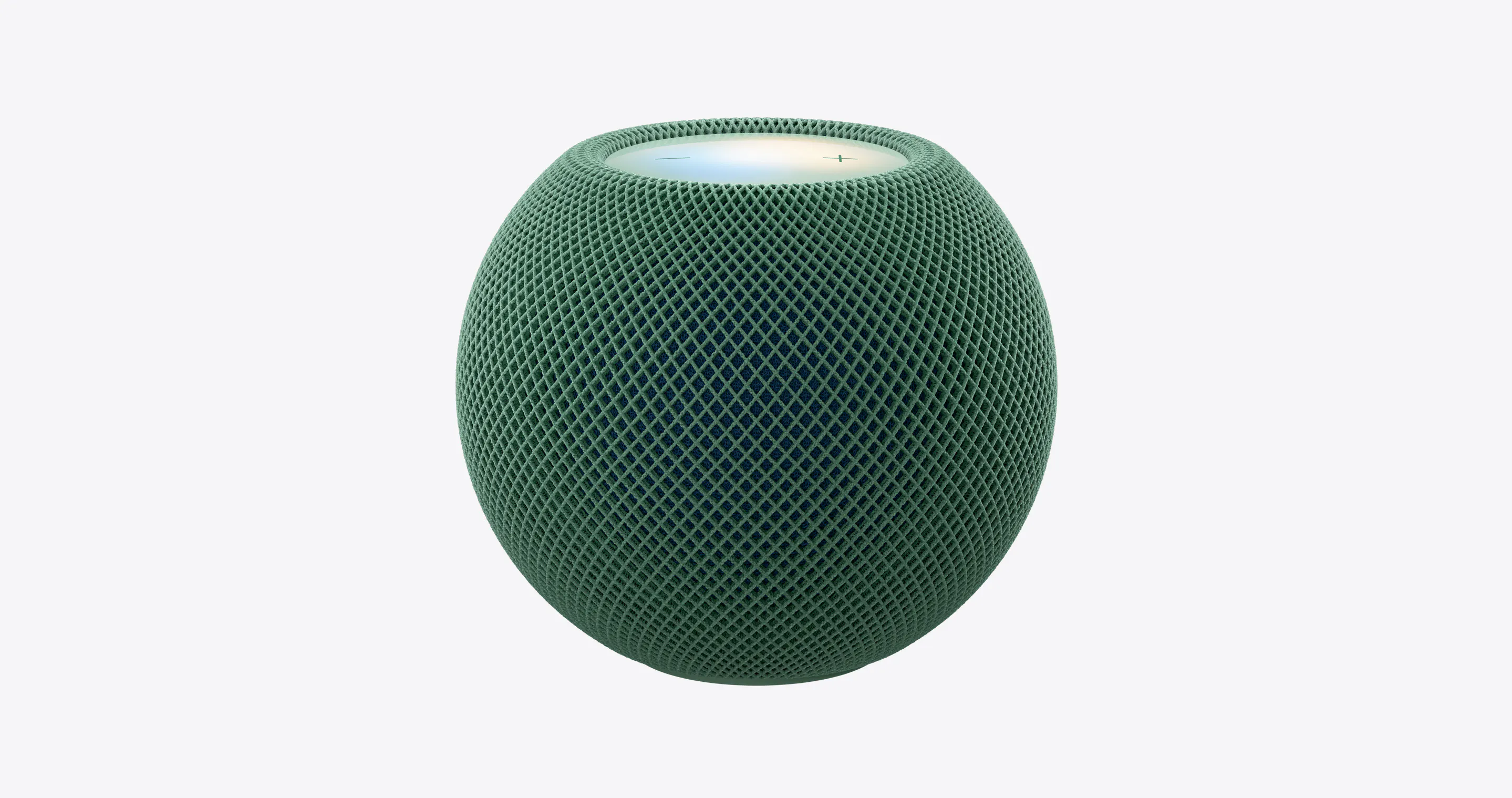
Product Introduction
- Definition: The Apple HomePod mini 2 is a second-generation compact smart speaker and smart home hub. It belongs to the technical category of Wi-Fi/Bluetooth-connected audio devices with integrated voice assistants and home automation capabilities.
- Core Value Proposition: The HomePod mini 2 exists to deliver a premium, private, and integrated Apple ecosystem audio and smart home experience in a compact, affordable form factor. Its core value is providing rich, room-filling computational audio, a more personal Siri AI assistant, and seamless control for Apple Home smart devices, all while maintaining user privacy.
Main Features
- Computational Audio & Room-Filling Sound: The HomePod mini 2 uses an Apple-designed full-range driver with a powerful neodymium magnet and dual force-cancelling passive radiators for bass extension. Advanced computational audio algorithms analyze and optimize music in real-time to create a detailed, full soundstage that belies the speaker's small 3.3-inch size, effectively filling a room with 360-degree audio.
- Siri AI & Voice Assistant: The speaker features an upgraded "Siri AI" experience, described as more personal and powerful, which is slated for a future software update. It processes requests locally on-device where possible (e.g., for messages or notes via iPhone) and only activates upon hearing "Hey Siri" or "Siri." Requests are associated with a random identifier, not an Apple ID, for enhanced privacy.
- Smart Home Hub & Control: The HomePod mini 2 acts as a Thread border router and a home hub for the Apple Home ecosystem. This allows for remote access, automation, and voice control of HomeKit, Matter, and Apple Home Collection accessories. It includes built-in temperature and humidity sensors and supports Sound Recognition for smoke and carbon monoxide alarms, sending critical alerts to Apple devices.
- Multiroom & Home Theater Audio: Users can create a whole-home audio system by pairing multiple HomePod speakers for synchronized multiroom audio. For home theater, two HomePod mini 2 units can be paired for stereo sound with an Apple TV 4K, or four can be used to create a surround sound experience, transforming any room into an immersive audio space.
- Sound Glow & Aesthetic Design: A new feature, Sound Glow, is a dynamic LED lighting experience on the top surface that pulses and changes color in sync with music or matches album artwork. The speaker is available in five colors (Green, Pink, Blue, Midnight, White) with a two-tone seamless mesh fabric and a color-matched woven power cable.
Problems Solved
- Pain Point: Consumers desire high-fidelity, immersive audio but are constrained by space and budget, often settling for inferior Bluetooth speakers. The HomePod mini 2 solves this by offering computational audio that delivers "big speaker" sound from a compact, $149 device.
- Target Audience: The primary personas are Apple ecosystem users (iPhone, Mac, Apple TV owners), urban dwellers and students with limited space, smart home enthusiasts seeking a privacy-focused hub, and multi-room audio seekers who value seamless integration over standalone specs.
- Use Cases: Essential scenarios include using it as a primary music speaker in a bedroom or office; as a home theater satellite speaker with Apple TV; as a central voice-controlled command hub for lights, locks, and sensors; and for whole-home audio synchronization during parties or daily listening.
Unique Advantages
Strengths & Limitations (Pros & Cons):
- Pros: Exceptional sound quality for its size due to computational audio; deep integration with the Apple ecosystem (Handoff, Apple TV, Mac speaker); strong privacy stance with on-device processing; functions as a robust Thread/Matter home hub; attractive design with Sound Glow feature.
- Cons: Requires an Apple ecosystem for full functionality (limited utility for Android/Windows users); lacks audio input ports (3.5mm, optical); does not support Bluetooth streaming from non-Apple devices; the enhanced "Siri AI" features are not yet available at launch.
Key Alternatives & Differentiation:
- vs. Amazon Echo (4th Gen): The Echo is agnostic, working with iOS and Android, and often cheaper. However, the HomePod mini 2 offers superior audio fidelity and deeper, more privacy-centric integration with Apple services. The Echo's Alexa has a broader third-party skill library, while Siri is optimized for first-party Apple tasks.
- vs. Google Nest Audio: Similar to Echo on cross-platform support. Nest Audio leverages Google Assistant for superior general knowledge queries. The HomePod mini 2 differentiates with its Mac integration, HomeKit hub reliability, and a focus on music quality over general assistant capabilities.
- vs. Larger HomePod (2nd Gen): The full-size HomePod offers significantly more powerful audio with spatial awareness, a woofer, and a tweeter array, making it better for primary living room listening. The HomePod mini 2 is a trade-off: far more affordable and compact, suitable for secondary rooms or as satellite speakers, while still acting as an identical smart home hub.
Frequently Asked Questions (FAQ)
- What is the difference between HomePod mini and HomePod mini 2? The HomePod mini 2 adds new features like the Sound Glow lighting, an upgraded temperature/humidity sensor, a more responsive connection for Mac audio, and promises a future "more personal" Siri AI update. It also launches in new colors like Pink and Green.
- Can I use HomePod mini 2 as a computer speaker? Yes, the HomePod mini 2 can be set as the default audio output for a Mac, providing room-filling sound for movies, games, and calls. Apple states this connection is more responsive and reliable than with the previous model.
- Does HomePod mini 2 work without an iPhone? No, an iPhone or iPad is required for the initial setup process to configure Wi-Fi and Apple ID. After setup, it can operate independently for music and home control, but management still requires an Apple device.
- Can HomePod mini 2 connect to Android or Windows? No, the HomePod mini 2 is designed exclusively for the Apple ecosystem. It cannot be set up or fully utilized with Android phones or Windows PCs, lacking Bluetooth audio streaming support for them.
- How many HomePod mini 2 speakers can I pair together? You can create a stereo pair with two HomePod mini 2 units. For a surround sound setup with Apple TV 4K, you can use up to four HomePod speakers (any combination of HomePod mini 2 and full-size HomePod) as rear channels, with the TV or a soundbar handling the front channel.


