
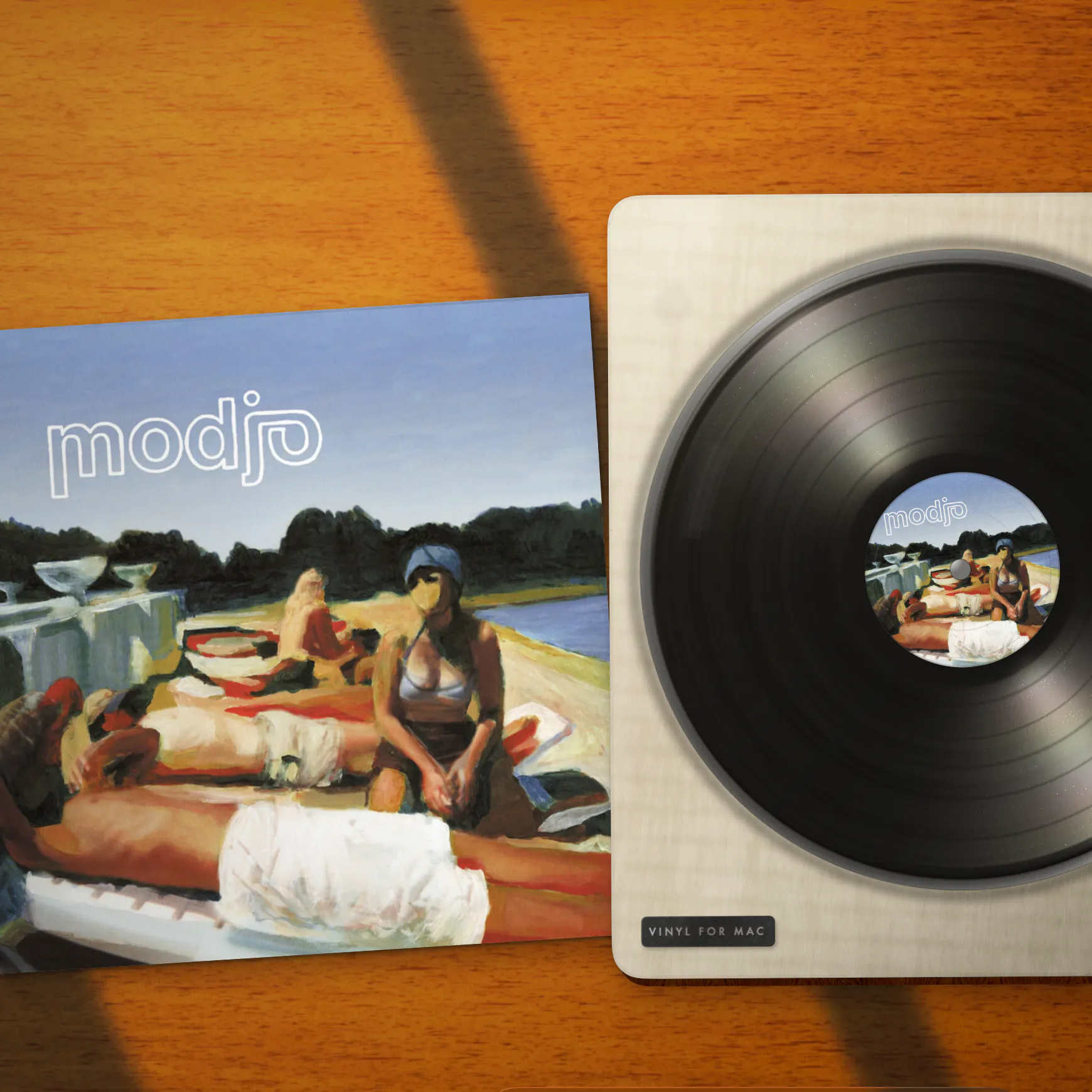
Product Introduction
- Definition: Vinyl for Mac is a macOS desktop application (widget/companion app) that renders a photorealistic, animated record player directly onto the user's desktop background. It functions as a real-time music visualization and now-playing display.
- Core Value Proposition: It exists to bridge digital music streaming with tangible, nostalgic aesthetics, transforming the utilitarian Mac desktop into a dynamic piece of audio-visual art. Its core value is providing ambient, non-intrusive visual feedback for Spotify and Apple Music playback without requiring user logins or complex setup.
Main Features
- Photorealistic Desktop Turntable: The app renders a high-fidelity 3D scene of a turntable, including a spinning platter, a tonearm, and an album sleeve on a realistic wood-grain surface. This scene is not a static wallpaper but a live animation that updates in real-time, utilizing efficient graphics rendering to minimize system resource usage on macOS.
- Automatic Music Service Integration (Spotify & Apple Music): Vinyl operates via local API connections or system media controls. It detects playback state, track changes, and metadata (artist, album, track title) directly from the Spotify desktop app or Apple Music app running on the same Mac. This happens without requiring users to log into their streaming accounts within Vinyl itself, prioritizing privacy and simplicity.
- Menu Bar Minimization & Background Operation: The application features a persistent menu bar icon. Users can close the main desktop window, and Vinyl will continue to run silently in the background, consuming minimal resources. The menu bar icon provides quick access to settings, playback controls (like play/pause), and the option to launch the app at system startup for automatic operation.
Problems Solved
- Pain Point: The sterile, static nature of the digital desktop environment and the disconnect between streaming music's convenience and the physical, engaging experience of vinyl records.
- Target Audience: Music enthusiasts and audiophiles who appreciate vinyl culture; macOS users who personalize their workspace; productivity seekers who want subtle, non-distracting ambient visuals; users of Spotify and Apple Music looking for elegant now-playing displays.
- Use Cases: Enhancing focus during work by providing a calming, animated visual element; serving as a conversation piece or aesthetic enhancement for a home office setup; quickly glancing at the desktop to see current track information without switching applications; creating a more immersive listening experience while streaming music.
Unique Advantages
- Differentiation: Unlike static wallpaper engines or resource-heavy music visualizers, Vinyl is a lightweight, dedicated app focused solely on the turntable metaphor. It differs from other now-playing widgets by being deeply integrated into the desktop canvas itself, not floating in a window or residing in the Dock.
- Key Innovation: The seamless, credential-free integration with major streaming services (Spotify Connect/local API, Apple Music scripting) is a key technical innovation for user convenience. Furthermore, its business model as a one-time purchase ($9.99) contrasts with the prevalent subscription model for similar utility software, offering long-term value.
Frequently Asked Questions (FAQ)
- Does Vinyl for Mac work with Spotify Premium or Apple Music subscriptions? Yes, Vinyl works with both Spotify (including Free and Premium tiers) and Apple Music. It reads playback information from the official desktop applications; your subscription status with those services is unrelated to Vinyl's functionality.
- Is the Vinyl macOS app a subscription or a one-time purchase? Vinyl is a one-time purchase of $9.99. There is no recurring subscription fee, and future updates for the current major version are typically included.
- How does Vinyl get album artwork without me logging in? Vinyl retrieves album artwork metadata locally from your Mac's media system or from the streaming service's publicly available data via the track's identifier. It does not require access to your personal streaming account credentials to fetch this cover art.
- Can I use Vinyl on multiple Macs with one license? Licensing terms vary. Typically, a single-user license for a macOS app from the Mac App Store or a developer's website is intended for use on all Macs owned and used by that single individual. You should check the specific license agreement provided at purchase.
- Does the Vinyl desktop animation slow down my Mac or drain battery? The application is optimized for efficiency. The 3D rendering is designed to be lightweight. However, as with any persistent visual effect, it may have a minor impact on battery life on laptops compared to having a static desktop, though it should not significantly affect performance on modern Macs.


