
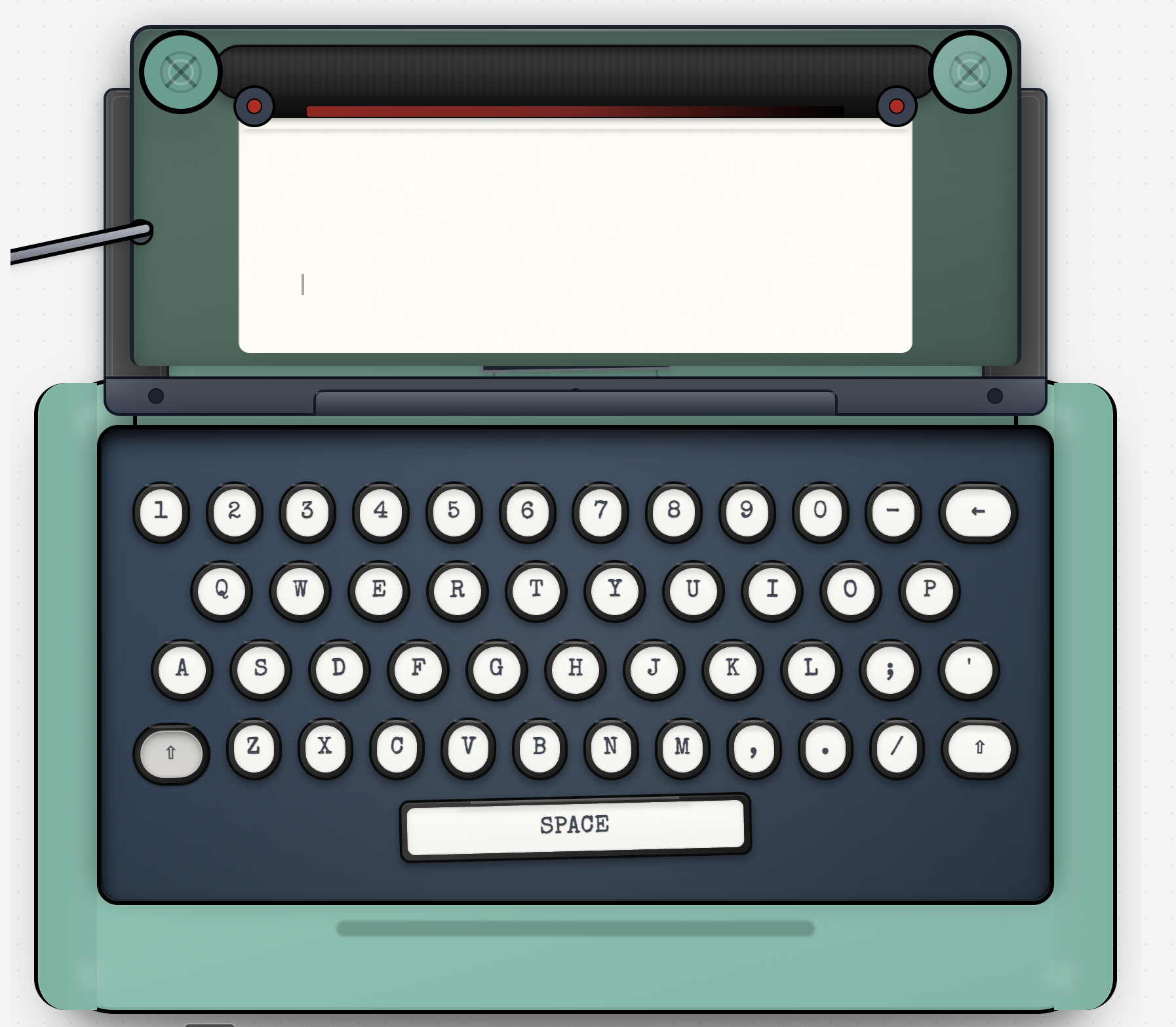
Product Introduction
- Definition: Typeletter is a browser-based digital typewriter simulator that replicates the mechanical experience of vintage typewriters. It falls under the technical category of web-based productivity tools for creative writing and digital journaling.
- Core Value Proposition: It eliminates modern distractions by providing an immersive, nostalgic writing environment with authentic auditory and tactile feedback. The product exists to enable mindful, heartfelt writing—ideal for letters, journals, or reflections—without downloads, sign-ups, or complex setups.
Main Features
- Realistic Typewriter Mechanics: Simulates physical typewriter components via JavaScript and Web Audio API. Pressing keys triggers "clacky" mechanical sounds, the carriage return lever (clickable UI element) advances lines, and a draggable scroll knob navigates text.
- Customizable Aesthetics: Users select ink ribbons (Black, Red, Blue, Sepia) altering text color via CSS variables. Ambient soundscapes (Rain, Beach, Jazz, Park) play dynamically using HTML5 audio loops for atmospheric immersion.
- Export Functionality: Leverages HTML-to-image conversion libraries to generate downloadable PNGs of typed content, complete with vintage wax seal graphics. Email delivery integrates SMTP services for direct sending from the browser.
Problems Solved
- Pain Point: Digital distractions in modern writing tools (notifications, formatting options) disrupt focus. Typeletter’s minimalist UI and mechanical constraints foster deep concentration.
- Target Audience: Journaling enthusiasts, letter writers, mindfulness practitioners, and nostalgia seekers craving tactile creativity without physical typewriter maintenance.
- Use Cases:
- Writing heartfelt letters with authentic typewriter aesthetics.
- Daily digital detox journaling with ambient soundscapes.
- Creating shareable, stylized notes for social media or personal archives.
Unique Advantages
- Differentiation: Unlike distraction-heavy word processors (Google Docs) or paid typewriter apps, Typeletter is entirely free, web-based, and requires zero installation. Competitors lack integrated ambience controls or one-click export with vintage seals.
- Key Innovation: Combining real-time auditory feedback (key sounds), interactive mechanical elements (lever/knob), and responsive design that works across devices. The "finish" workflow unifies export/email in one action—uncommon in niche writing tools.
Frequently Asked Questions (FAQ)
- Is Typeletter free to use? Yes, Typeletter is a completely free online typewriter simulator with no hidden fees, subscriptions, or feature limitations.
- Can I use Typeletter on mobile devices? While optimized for desktop, Typeletter’s responsive design supports mobile browsers, though the tactile keyboard experience is best on larger screens.
- How do I save or share my typed content? Click "finish" to instantly download a PNG image with wax seals or email the note directly from your browser.
- Does Typeletter require an internet connection? Yes, as a web-based typewriter simulator, it needs connectivity for audio loading and email functionality.
- Are typed notes stored on Typeletter’s servers? No, all content remains client-side; nothing is saved or tracked, ensuring privacy for personal journals and letters.


