
Product Introduction
- NotiSprite is an interactive desktop companion for macOS that combines functional notifications with animated virtual pets called "sprites." It operates as a native macOS application requiring no user logins, tracking, or advertisements, prioritizing privacy and user experience. The sprites deliver contextual alerts for breaks, weather, calendar events, system metrics, and custom timers while responding to user interactions like mouse movements or clicks.
- The core value lies in transforming routine productivity tools into an engaging experience by merging utility with playful animations. It addresses digital fatigue by using charming sprites to deliver reminders, reducing the monotony of traditional notification systems. The product emphasizes customization, allowing users to adjust sprite behavior, notification types, and screen positioning for personalized workflow integration.
Main Features
- Context-Aware Notifications: Sprites display animated alerts for calendar events (15-minute pre-meeting reminders with countdowns), real-time weather changes (sunny, rainy, snowy animations), and system metrics like CPU usage or battery status. Notifications include daily motivational quotes, sleep-time reminders, and custom timers with completion alerts.
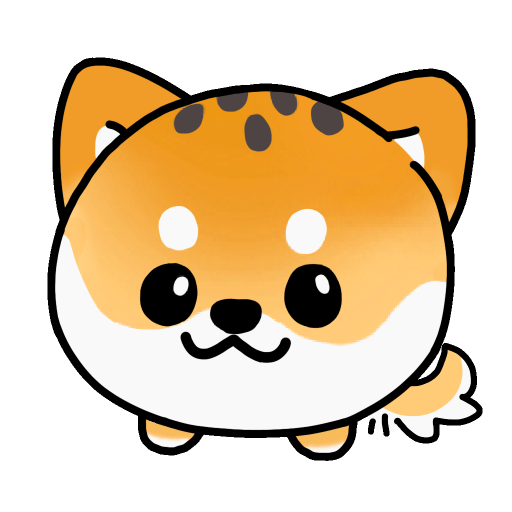
- Interactive Sprite Behavior: Users trigger unique animations by hovering, clicking, or moving the mouse near sprites. Three movement modes are supported: cursor-following, fixed corner placement, or autonomous screen roaming. Premium sprites like Noti Shiba or Noti Miao exhibit distinct personalities, such as wagging tails or playful prowling.
- Multi-Language and Customization: Supports 12 languages, including English, Chinese (simplified/traditional), Japanese, Korean, and Arabic. Users configure notification display locations, set up to two recurring alarms (daily/weekday/weekend schedules), and choose sprite habitats (specific screen zones or full desktop).
Problems Solved
- Monotonous Notification Systems: Replaces static or intrusive alerts with animated, non-disruptive reminders that reduce stress during work sessions. Solves the problem of ignored notifications by using visually engaging sprites to capture attention without overwhelming users.
- Remote Workers and Students: Targets users who require structured breaks, calendar management, and system monitoring during long screen-time sessions. Ideal for individuals seeking to balance productivity with mental wellness through gentle nudges for stretching, hydration, or sleep routines.
- Workflow Integration Scenarios: A designer receives weather-based sprite animations to plan outdoor breaks, while a developer uses CPU usage alerts to optimize resource-heavy tasks. Students leverage timer notifications for study intervals, and multilingual teams utilize localized reminders for global collaboration.
Unique Advantages
- Hybrid Utility-Entertainment Model: Unlike standalone notification apps or virtual pets, NotiSprite integrates both functionalities without data harvesting. Competitors lack context-aware features like weather-reactive animations or calendar-driven countdowns paired with pet interactions.
- Technical Innovation: Real-time system monitoring (CPU/battery) triggers sprite animations, such as the Demo Ant marching faster during high CPU usage. Premium sprites like Noti Bubble float with rainbow effects during notifications, leveraging hardware acceleration for smooth 60 FPS animations.
- Privacy-First Design: Requires no internet access for core features (excluding weather updates), ensuring user data remains local. Free demo sprites provide lifetime access to basic functionalities, while premium upgrades avoid subscription models via one-time in-app purchases.
Frequently Asked Questions (FAQ)
- What macOS versions does NotiSprite support? NotiSprite requires macOS 15.0 or later, optimized for Apple Silicon and Intel-based Macs. The application is not compatible with iOS, iPadOS, or Windows systems.
- How do free demo sprites differ from premium ones? Free sprites (e.g., Demo Ant, Demo Ladybird) only display system-related notifications for CPU/battery and lack weather, calendar, or custom alarm features. Premium sprites unlock all 10+ notification types and advanced animations.
- Can I customize where notifications appear on the screen? Yes, users define notification zones via drag-and-drop in settings, with options to align them to screen edges or specific coordinates. Notifications avoid overlapping with critical UI elements like the macOS menu bar.
- Is language switching automatic based on system settings? NotiSprite defaults to the system language but allows manual overrides in-app. It supports partial translations for less common languages like Hindi, with tooltips explaining untranslated terms.
- Does NotiSprite collect personal data? The app does not request login credentials, track user activity, or transmit data beyond weather API calls (location-based). All preferences and sprite configurations are stored locally in macOS user directories.


