
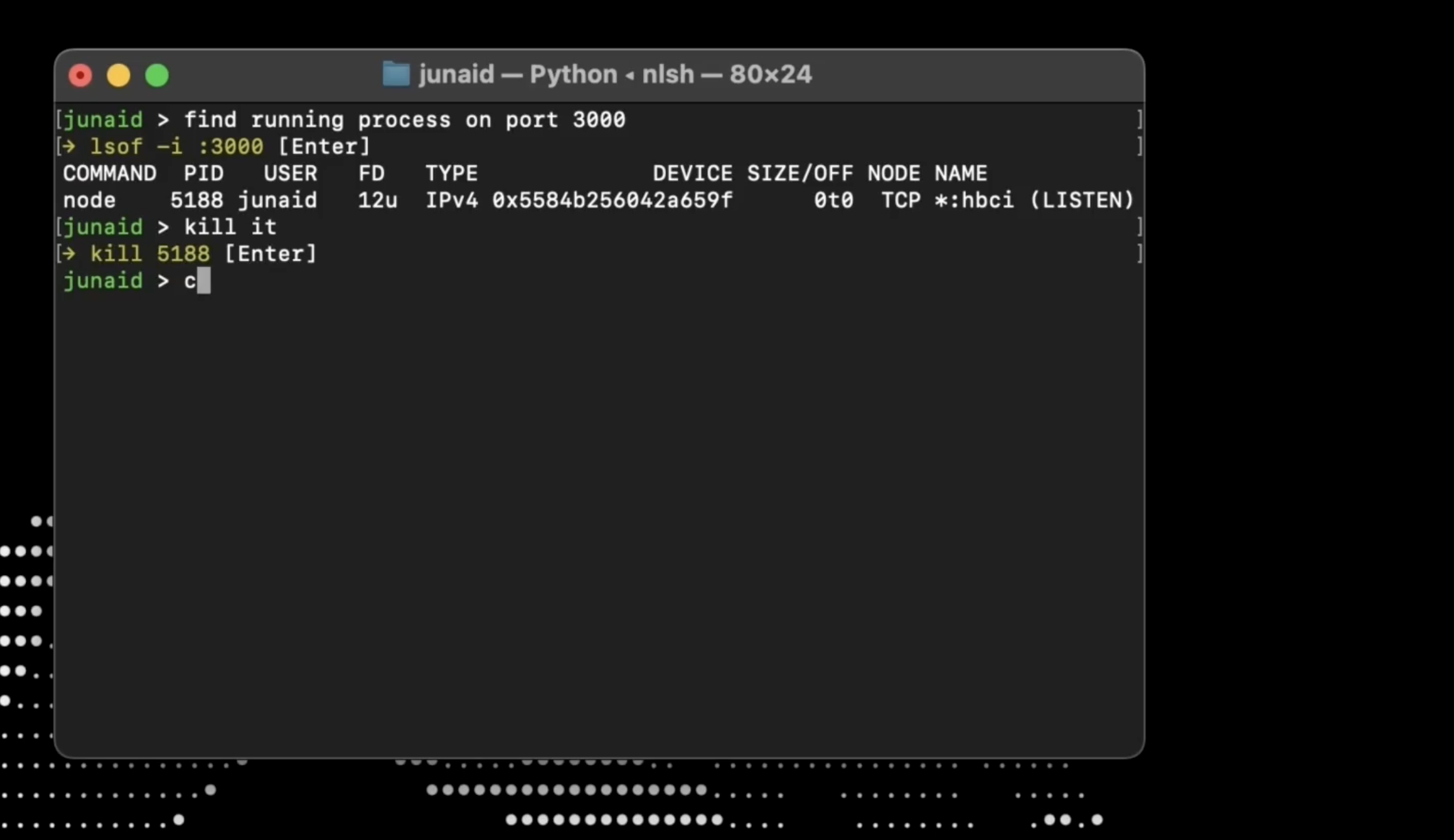
Product Introduction
- Definition: nlsh (Natural Language Shell) is an open-source terminal interface tool that leverages large language models (LLMs) to translate plain English instructions into executable shell commands. It operates within the technical category of AI-powered developer productivity tools, specifically targeting command-line optimization.
- Core Value Proposition: nlsh eliminates the need to memorize complex command syntax, flags, or manual documentation searches. Its primary purpose is to accelerate terminal workflows by enabling users to describe tasks in natural language, which the AI converts to accurate Bash/Zsh commands—boosting efficiency for developers and sysadmins.
Main Features
Natural Language-to-Command Translation
- How it works: Users input English phrases (e.g., "count lines in main.go"), and nlsh uses integrated LLMs (currently Gemini) to generate precise shell commands (e.g.,
wc -l main.go). The tool runs locally, sending only prompts to the AI provider. - Technologies: Python 3.8+ runtime, Gemini API for AI processing, and secure environment variable management for API keys.
- How it works: Users input English phrases (e.g., "count lines in main.go"), and nlsh uses integrated LLMs (currently Gemini) to generate precise shell commands (e.g.,
Hybrid Command Execution
- How it works: Supports seamless switching between AI-generated commands and manual shell operations. Prefixing with
!cmdexecutes raw commands (e.g.,!cmd ls -la), while!apiupdates LLM credentials without exposing keys. - Technologies: Custom Bash/Zsh session handlers with built-in command routing logic.
- How it works: Supports seamless switching between AI-generated commands and manual shell operations. Prefixing with
Privacy-First Local Processing
- How it works: All operations occur locally on the user’s machine. Only natural language prompts are sent to the AI provider; command history, outputs, and system data remain private.
- Technologies: Zero local data storage, encrypted API transmissions, and open-source transparency (GitHub-hosted code).
Problems Solved
- Pain Point: Reduces terminal friction caused by forgotten flags, complex syntax (e.g.,
find/greppermutations), and context-switching to documentation. Targets command-line memorization overhead and manual lookup inefficiency. - Target Audience:
- Developers (Python/Go/JS ecosystems) managing project workflows.
- Sysadmins/DevOps engineers executing server maintenance or diagnostics.
- Data scientists running CLI data-processing tasks without deep shell expertise.
- Use Cases:
- Rapid Git operations (e.g., "undo last commit" →
git reset HEAD~1). - Filesystem queries (e.g., "find all modified CSV files yesterday" →
find . -name "*.csv" -mtime 1). - Process management (e.g., "kill node app on port 3000" →
lsof -t -i:3000 | xargs kill).
- Rapid Git operations (e.g., "undo last commit" →
Unique Advantages
- Differentiation: Unlike traditional CLI helpers (e.g.,
tldr), nlsh uses generative AI for contextual command synthesis—not prebuilt cheat sheets. Versus cloud-based tools, it ensures privacy via local execution and avoids subscription models. - Key Innovation: Hybrid command routing (
!cmd/!api) enables fluid transitions between AI and manual modes, while open-source self-hosting allows customization for niche workflows (e.g., internal toolchains).
Frequently Asked Questions (FAQ)
Is nlsh compatible with Windows Subsystem for Linux (WSL)?
No. nlsh requires native macOS or Linux environments; Windows/WSL support is absent due to shell integration dependencies.How does nlsh handle incorrect or dangerous command generation?
Commands are executed manually by the user after AI generation, allowing verification. The!cmdmode bypasses AI for critical operations, mitigating execution risks.Can nlsh use OpenAI instead of Gemini?
Currently, only Gemini is supported. Users provide their API key via!apito manage costs and access.Does nlsh store or transmit my terminal history?
No. All operations are local; only natural language prompts (not commands/results) are sent to Gemini.How do I contribute to nlsh’s development?
Fork the GitHub repository, submit pull requests for features/bug fixes, or report issues via the project’s public tracker.


