
Product Introduction
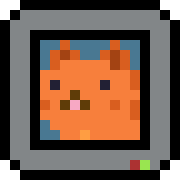
Definition: Mac Pet is a specialized macOS menu bar utility and virtual productivity companion designed as a lightweight, native application. It functions as a Tamagotchi-style pixel pet that lives within the macOS system UI—specifically the menu bar or the MacBook notch area—integrating aesthetic retro-gaming elements with functional productivity tools like a Pomodoro timer and activity tracker.
Core Value Proposition: Mac Pet provides a "living" visual feedback loop for productivity, transforming the often-underutilized MacBook notch and menu bar into an interactive workspace. By combining a Pomodoro-style focus timer with a digital companion that responds to user activity, it addresses the psychological fatigue of solo digital work while maintaining a zero-distraction profile, ensuring the tool never gets buried in the macOS Dock.
Main Features
Seamless MacBook Notch & Menu Bar Modes: Mac Pet utilizes advanced UI positioning to allow the application to reside either in the standard system menu bar or directly adjacent to the MacBook notch. On newer MacBook Pro and Air models, the "Notch Mode" uses a pixel-perfect black background that blends into the physical hardware, making the pet appear as a natural extension of the notch itself. Users can toggle between these modes via system settings to optimize screen real estate.
Integrated Pomodoro Workflow Engine: The application features a built-in focus timer based on the Pomodoro Technique. It allows for granular customization of focus intervals and break durations. Technically, the timer is synced with the pet’s behavioral state: during "Focus" sessions, the pet displays active animations; during "Breaks," the pet transitions to resting or sleeping animations. This provides a subtle, non-intrusive peripheral notification system for time management.
Gamified Activity Tracking & 5-Week Contribution Graphs: Mac Pet includes a data visualization layer that monitors daily usage and productivity streaks. Using a UI inspired by GitHub’s contribution graphs, it displays a 5-week history of activity. This feature tracks consistency over time, encouraging users to build "streaks" by completing focus sessions, which are stored locally to maintain user privacy.
Dynamic Pixel Art & System Accent Integration: Each companion is rendered in high-quality pixel art with unique animation sets (e.g., cats, dogs). The software is designed to automatically detect the macOS accent color (Orange, Blue, Green, etc.) and apply it to the UI elements of the pet’s environment, ensuring the app feels like a native part of the macOS Ventura, Sonoma, or Sequoia ecosystem.
Problems Solved
Pain Point: Workspace Isolation and Burnout: Modern digital work, especially for remote professionals, can feel isolating and monotonous. Mac Pet addresses this by providing "digital presence"—a low-stakes companion that boosts mood without the high-maintenance requirements of traditional virtual pets.
Target Audience:
- Software Engineers & Developers: Users who spend long hours in IDEs and require a lightweight, non-resource-heavy tool to manage coding sprints.
- UI/UX Designers: Creative professionals who appreciate the aesthetic value of pixel art and native macOS design patterns.
- Students & Academic Researchers: Individuals needing a visual incentive to maintain study streaks and manage break intervals during long research sessions.
- Remote Workers: Professionals seeking to replicate the "office desk" feel with a digital desk toy.
Use Cases:
- Deep Work Sessions: Using the Pomodoro timer to block out distractions while the pet "works" alongside the user.
- Hardware Aesthetic Optimization: Utilizing the MacBook notch area to display useful information rather than leaving it as empty black space.
- Habit Formation: Tracking daily work consistency through the 5-week streak visualization tool to prevent productivity "drop-off."
Unique Advantages
Differentiation: Unlike traditional Pomodoro apps that reside in the Dock or require a separate window, Mac Pet is "always-on" but "out-of-the-way." It circumvents the "cluttered dock" problem by occupying the menu bar, which is globally accessible regardless of which application is in full-screen mode.
Key Innovation: Ultra-Low Resource Consumption: Despite providing constant animations, Mac Pet is optimized for Apple Silicon (M1, M2, M3) and Intel chips, consuming less than 1% of CPU resources. This technical efficiency ensures that the app does not impact battery life or system performance during heavy workloads like video rendering or compiling code.
Zero-Anxiety Gameplay: Unlike original 90s virtual pets, Mac Pet is designed for a professional environment. It does not "die" or penalize the user with loud alerts; instead, it mirrors the user’s work rhythm, sleeping when the user is away and waking up when work begins.
Frequently Asked Questions (FAQ)
Does Mac Pet support the MacBook Notch on M1/M2/M3 Pro models? Yes, Mac Pet is specifically optimized for MacBooks with a camera notch. In "Notch Mode," the software renders a seamless black background that aligns perfectly with the physical hardware, making the pet appear as though it is living inside the notch area.
How does the Pomodoro timer integrate with the pet's behavior? The pet’s state is programmatically tied to the timer. When you start a focus session, the pet enters an "active" state to encourage work. When the timer concludes and a break begins, the pet transitions to a "resting" or "sleep" animation, providing a visual cue to the user to step away from the screen.
What are the system requirements for Mac Pet? Mac Pet is compatible with macOS 10.15 (Catalina) and all subsequent versions, including macOS Sonoma. It is a universal binary, meaning it runs natively on both Intel-based Macs and Apple Silicon (M-series) hardware for maximum performance.
Is my productivity data kept private? Absolutely. Mac Pet operates locally on your machine. Your activity streaks, focus session data, and pet preferences are stored on your local disk and are not uploaded to any external servers, ensuring 100% privacy for your work habits.


