Product Introduction
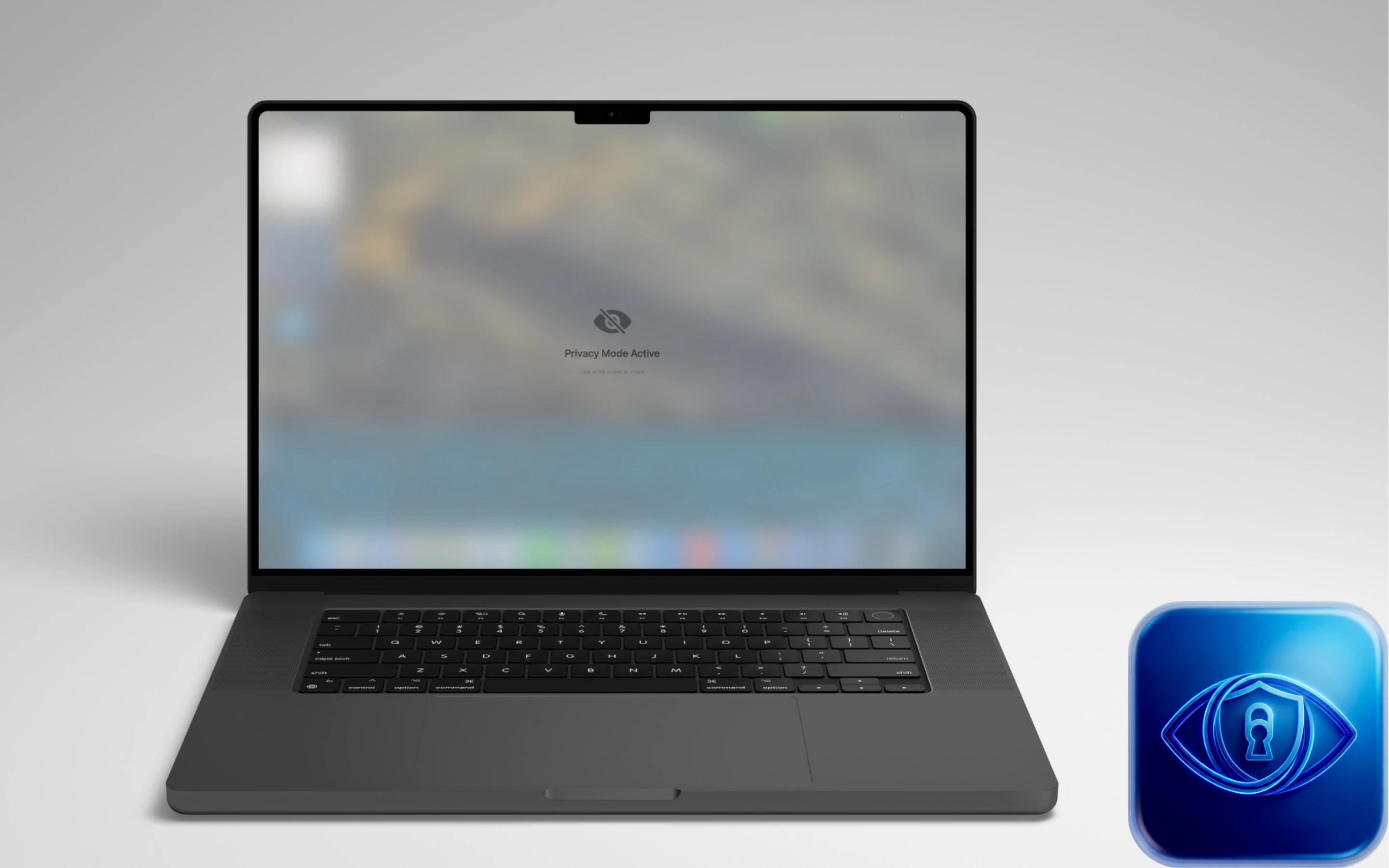
Definition: Gaze Guard is a specialized macOS privacy utility and security application designed to provide real-time screen obfuscation through advanced biometric tracking. Functioning as a lightweight menu bar tool, it utilizes computer vision to monitor user engagement and environmental threats, automatically blurring sensitive on-screen content when the primary user is not actively looking at the display.
Core Value Proposition: The product addresses the "visual hacking" vulnerability inherent in mobile and open-office computing. By integrating Apple’s Vision Framework, Gaze Guard offers an automated, software-based privacy shield that prevents unauthorized viewing of sensitive data (shoulder surfing) without requiring physical privacy filters. It exists to secure digital workflows for professionals handling confidential information in public or shared environments.
Main Features
Smart Gaze Detection: This feature employs high-precision face-tracking algorithms to determine the user's focus point in real-time. When the user’s eyes deviate from the display, the application triggers an instant blur overlay. This is powered by local processing of camera feeds, ensuring a low-latency response to head movement and orientation changes.
Advanced Shoulder Surfing Protection: Gaze Guard includes a multi-tiered bystander detection system. In "Anyone Nearby" mode, the software activates privacy protocols if any secondary face enters the camera's field of view—ideal for private offices. The "Direct Gaze Only" mode uses more granular detection to react only when a bystander is actively looking at the screen, reducing false positives in high-traffic areas like cafes or lecture halls.
App-Specific Selective Blur: Unlike global screen dimmers, Gaze Guard allows for "surgical" protection. Users can designate specific high-risk applications (such as Slack, Microsoft Outlook, Apple Notes, or Terminal) for protection. The blur overlay intelligently respects window layering; protected apps are obscured while unrelated windows remains visible, maintaining a fluid multitasking experience.
On-Device Vision Framework Processing: Security is maintained by performing all biometric analysis locally on the Mac’s hardware. No image data, video streams, or facial maps are stored, transmitted to the cloud, or shared with third parties. The app strictly requests camera access for orientation detection only, adhering to a "Privacy First" architecture.
Resource-Optimized Eco Mode: Designed for the MacBook's mobile nature, the app features an optimized background engine that minimizes CPU cycles and energy impact. At a footprint of only 10.3 MB, it ensures that continuous privacy monitoring does not significantly degrade battery life or system performance during intensive tasks.
Problems Solved
Visual Data Breaches: Gaze Guard mitigates the risk of "visual hacking," where sensitive information like passwords, financial spreadsheets, or private messages are compromised by individuals physically located behind or beside the user.
Target Audience:
- Remote Professionals & Digital Nomads: Individuals working in coffee shops, coworking spaces, and airport lounges.
- Corporate Executives & HR Managers: Personnel handling sensitive employee data or proprietary corporate strategy.
- Software Developers & System Admins: Professionals working with private keys, API credentials, or secure server environments in open-plan offices.
- Healthcare & Legal Professionals: Users required by regulation (HIPAA, GDPR) to ensure client confidentiality on digital displays.
- Use Cases:
- Commuting: Maintaining privacy on trains or airplanes where seating is in close proximity.
- Open Offices: Preventing "wandering eyes" from colleagues during confidential meetings or performance reviews.
- Home Offices: Ensuring screen privacy when family members or guests are in the vicinity of a workstation.
Unique Advantages
Differentiation from Physical Filters: Unlike physical privacy screens that dim the display and reduce viewing angles for the primary user, Gaze Guard provides 100% clarity for the user while offering dynamic, automated protection that physical hardware cannot replicate.
Surgical Overlay Logic: Traditional privacy software often blurs the entire desktop. Gaze Guard’s version 1.0.4+ innovation allows the blur to sit precisely over the target application window, allowing the user to keep non-sensitive reference materials (like a web browser) visible while the sensitive document (like a spreadsheet) remains hidden.
Granular Sensitivity Controls: The ability to toggle between "Anyone Nearby" and "Direct Gaze" allows the software to adapt to the user's environment, a level of customization rarely found in standard motion-lock or proximity-wake utilities.
Frequently Asked Questions (FAQ)
Does Gaze Guard store or record video from my Mac's camera? No. Gaze Guard utilizes Apple's Vision Framework for real-time face and gaze orientation detection. All processing occurs in the system's volatile memory and is discarded instantly. No images or video files are ever written to the disk or transmitted over the internet.
Will using gaze detection significantly drain my MacBook's battery? The application is highly optimized for macOS 14.0+. By utilizing the specialized Vision Framework and offering an "Eco Mode," the app maintains a minimal CPU footprint. Users can monitor this via Activity Monitor, where it typically shows negligible energy impact compared to standard productivity tools.
Can I choose which specific apps are blurred when I look away? Yes. The "Selective Blur" feature allows you to whitelist or blacklist specific applications. For example, you can choose to protect your Mail and Finance apps while allowing your Music player or Spotify window to remain visible at all times.
What are the system requirements for Gaze Guard? Gaze Guard requires macOS 14.0 (Sonoma) or later. This requirement ensures the app can leverage the latest neural engine optimizations and Vision Framework updates provided by Apple for efficient face tracking.