
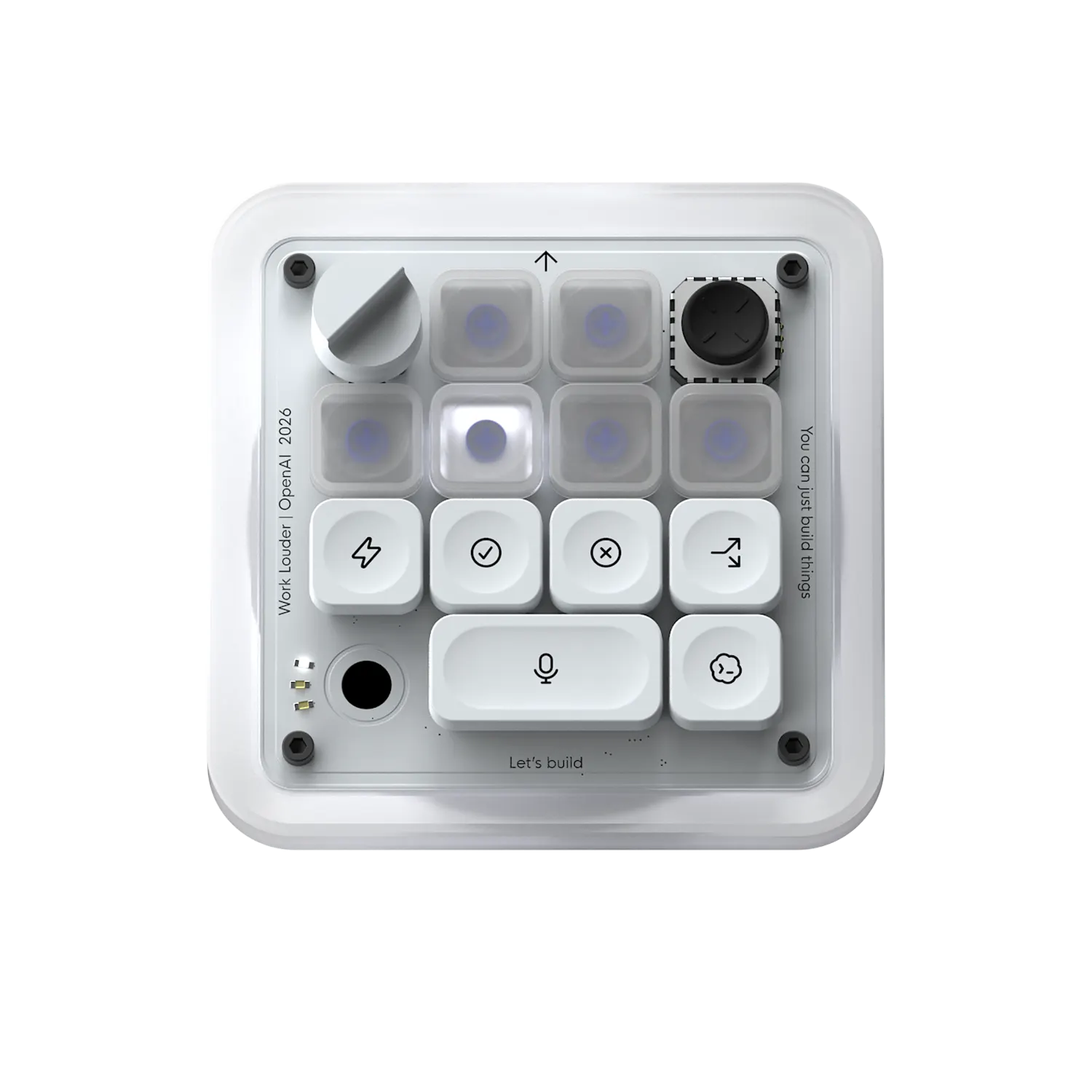
Product Introduction
- Definition: The Codex Micro is a specialized, programmable macro keyboard designed for direct interaction with AI agents, specifically those built on the Codex platform. It falls under the technical categories of Human-Computer Interaction (HCI) devices and productivity peripherals.
- Core Value Proposition: It exists to provide tactile, hardware-level control and real-time visual feedback for AI agent workflows, eliminating the need for constant window switching and manual input of common commands. Its core value is enhancing AI agent productivity and developer workflow efficiency through a dedicated physical interface.
Main Features
- Dedicated Physical Skill Keys: The keyboard features programmable mechanical keys mapped to common AI agent skills or commands, such as "Summarize," "Refactor," or "Debug." How it works: Users can assign specific functions or API calls from their Codex agent setup to each key via companion software, enabling one-press execution of complex tasks without touching the mouse or main keyboard.
- Tactile Reasoning Level Dial: A central rotary encoder (dial) allows for real-time, granular adjustment of the AI agent's reasoning depth or "temperature" setting. How it works: Turning the dial sends a continuous control signal to the connected agent, dynamically altering parameters like chain-of-thought steps or response creativity, providing immediate feedback on output variation.
- Live RGB Status Light System: An integrated RGB LED matrix provides real-time, at-a-glance visual feedback on agent status. How it works: The lights are programmed to display specific colors and patterns corresponding to different agent states—e.g., blue for "processing," green for "task complete," red for "error"—enabling workflow monitoring without interrupting focus on the primary screen.
Problems Solved
- Pain Point: Context switching fatigue and workflow disruption caused by constantly alt-tabbing between coding environments, agent chat interfaces, and other windows to issue commands or check status.
- Target Audience: Primary users are AI Engineers and Developer Productivity specialists who build and test Codex-based agents. Secondary users include power users and technical creators who rely heavily on AI assistants for coding, content generation, or data analysis.
- Use Cases: Essential for rapid prototyping with AI, where an engineer needs to quickly iterate an agent's reasoning; for live demonstrations where tactile control is more reliable than software; and for deep work sessions where maintaining focus on a single screen is critical for efficiency.
Unique Advantages
- Differentiation: Unlike generic programmable macro pads (e.g., Elgato Stream Deck) or software hotkeys, the Codex Micro is purpose-built for the Codex agent ecosystem. Its out-of-the-box integration, dedicated reasoning dial, and status light semantics are tailored specifically for AI agent interaction, whereas competitors require extensive user configuration for similar functionality.
- Key Innovation: The integration of a hardware control surface (the dial) for a dynamic software parameter (reasoning level) represents a novel HCI approach for AI tools. This tangible control metaphor for an abstract AI setting, combined with the real-time agent status visualization via RGB, creates a unique bidirectional hardware-software communication channel.
Frequently Asked Questions (FAQ)
- Is the Codex Micro compatible with AI agents other than Codex? The Codex Micro is optimized for the Codex platform out of the box. Its programmability may allow for use with other AI systems via custom API mapping, but advanced features like the status light integration may require proprietary Codex agent hooks.
- What type of switches does the Codex Micro keyboard use? Built in collaboration with Work Louder, the Codex Micro utilizes custom mechanical switches chosen for tactile feedback and durability, typical of high-end productivity keyboards, though the exact switch model (e.g., Cherry MX, Kailh) is specified by the manufacturer.
- How do you program the keys and RGB lights on the Codex Micro? Programming is done through a dedicated desktop companion software application that allows users to map key presses to specific agent skills, configure the dial's parameter range, and define the color/pattern schemes for the RGB status lights based on agent output.
- Does the Codex Micro require a software driver to function? Yes, to unlock its full programmability and agent integration features, the Codex Micro requires its companion driver software to be installed and running on the host computer (Windows, macOS, or Linux).
- What is the main benefit of a hardware dial for AI reasoning control? The hardware dial provides muscle memory and fine-grained control that is faster and more intuitive than manually typing or sliding a software slider, enabling rapid experimentation and adjustment of AI agent behavior during a task.


