
ipad Tools
12 best ipad tools and apps, curated and ranked by community upvotes on ProductCool. Updated daily as new ipad products launch.
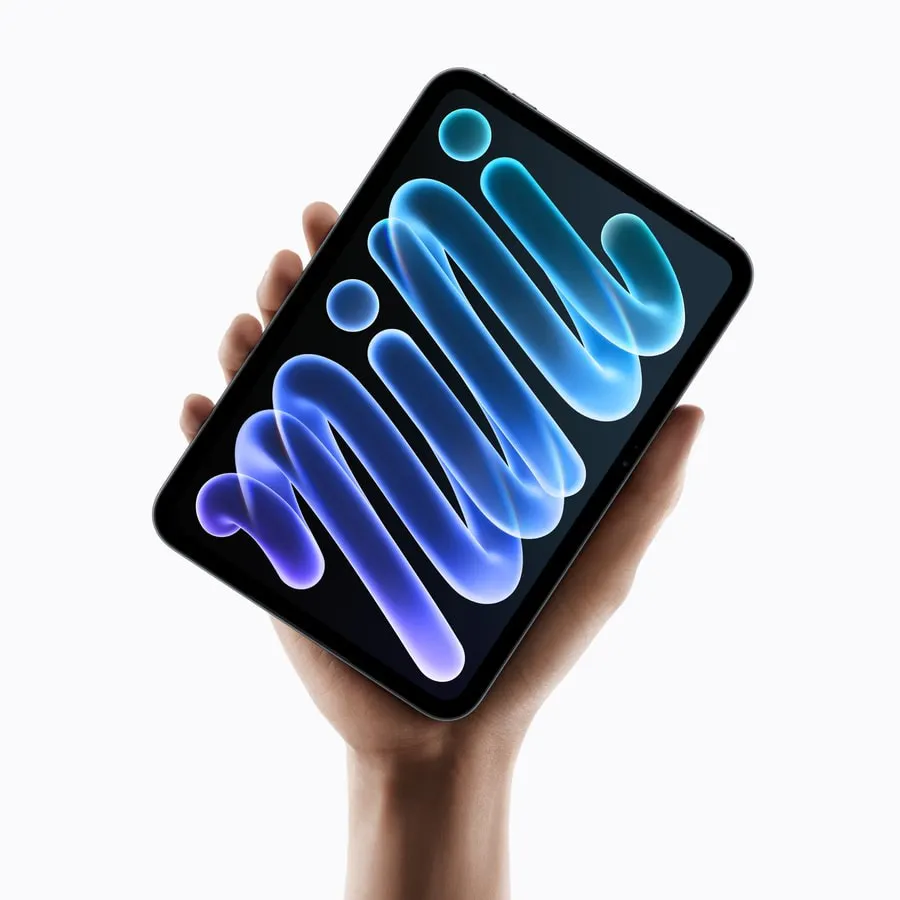
The all new iPad mini. Featuring the 8.5-inch Super Retina XDR display with OLED, A20 Pro chip, Apple Intelligence and Siri AI. Supports Apple Pencil.
With a 12-year heritage behind the Scrapboard series, Scrapboard Cloud 4 brings the classic concept of a digital bulletin board—recreating the cozy feel of a family refrigerator door—right to your iOS devices. Designed to work hand-in-hand with its macOS counterpart (Scrapboard 4), this app lets you seamlessly sync and share your creative boards across all your iPads, iPhones, and Macs using your iCloud account.

OpenDisplay is a free, open-source alternative to Sidecar and Duet Display. It solves the problem of needing an extra monitor by transforming your iPhone, iPad, or even an old Mac into a fully functional, low-latency second screen for your primary Mac over USB or WiFi. It's perfect for developers, students, and professionals who want to extend their workspace without paying for subscriptions or proprietary hardware dongles.
choclift now turns your iPad into a beautifully simple touch companion for your Mac...and it feels like pure magic. Launch apps, run Apple Shortcuts, open websites, and add your favorite emojis to any text with a single tap, all from one resizable view. Connect multiple devices at once, tap an empty tile to add whatever is open on your Mac, and use swipe gestures for quick actions. Now available for free on Mac, iPhone, iPad, and Apple Vision Pro in eight languages.
I built SurfPad because I use Arc on desktop and couldn't find anything like it on iPad. Every iPad browser felt like a stretched phone app. SurfPad has a real sidebar with tab tiers, spaces, fully customizable keyboard shortcuts, split view, a command bar, built-in ad blocker (including YouTube ad skipper), reader mode, save as PDF, and more. One-time $9.99 purchase. No subscription. No ads. No tracking.

The all-in-one AI-powered note taking app for students and professionals.
Your servers. Everywhere. Ghostty-powered SSH client for iOS, iPad, MacOS with iCloud sync, Keychain security, multiple tabs, on-device transcriptions and tmux integration.
Beam is a powerful, desktop-class browser built specifically for iPad. It brings sidebar-first browsing, spaces, pinned tabs and favourites, a fast command bar, full keyboard shortcuts, and fluid tab management that finally feels right on iPadOS. With built-in ad blocking, multiple search engines, and deep customisation, Beam is designed for power users who use their iPad as a real computer.

We have been working hard to deliver better health outcomes for our users. A major part of that has involved doubling down on features that allow users to track their time spent on the app and provide more content based on their moods. That's exactly what we have achieved with our Apple Health integration. Your time spent on the exercises within the app gets tracked as Mindful Minutes on Apple Health. The app now also provides a world of content based on your moods (almost 25+ of them).
A new form of deliberate communication based on the authenticity of handwritten letters. Write digital letters, collect stamps and make new friends / PenPals from around the world!
A new form of deliberate communication based on the authenticity of handwritten letters. Write digital letters, collect stamps and make new friends / PenPals from around the world!
Still using PDF templates in Goodnotes? It's time to stop wandering from one PDF to another—come to Whatting! With Whatting, you can create your own custom diary layout by combining widgets just the way you like. Start for free today!