
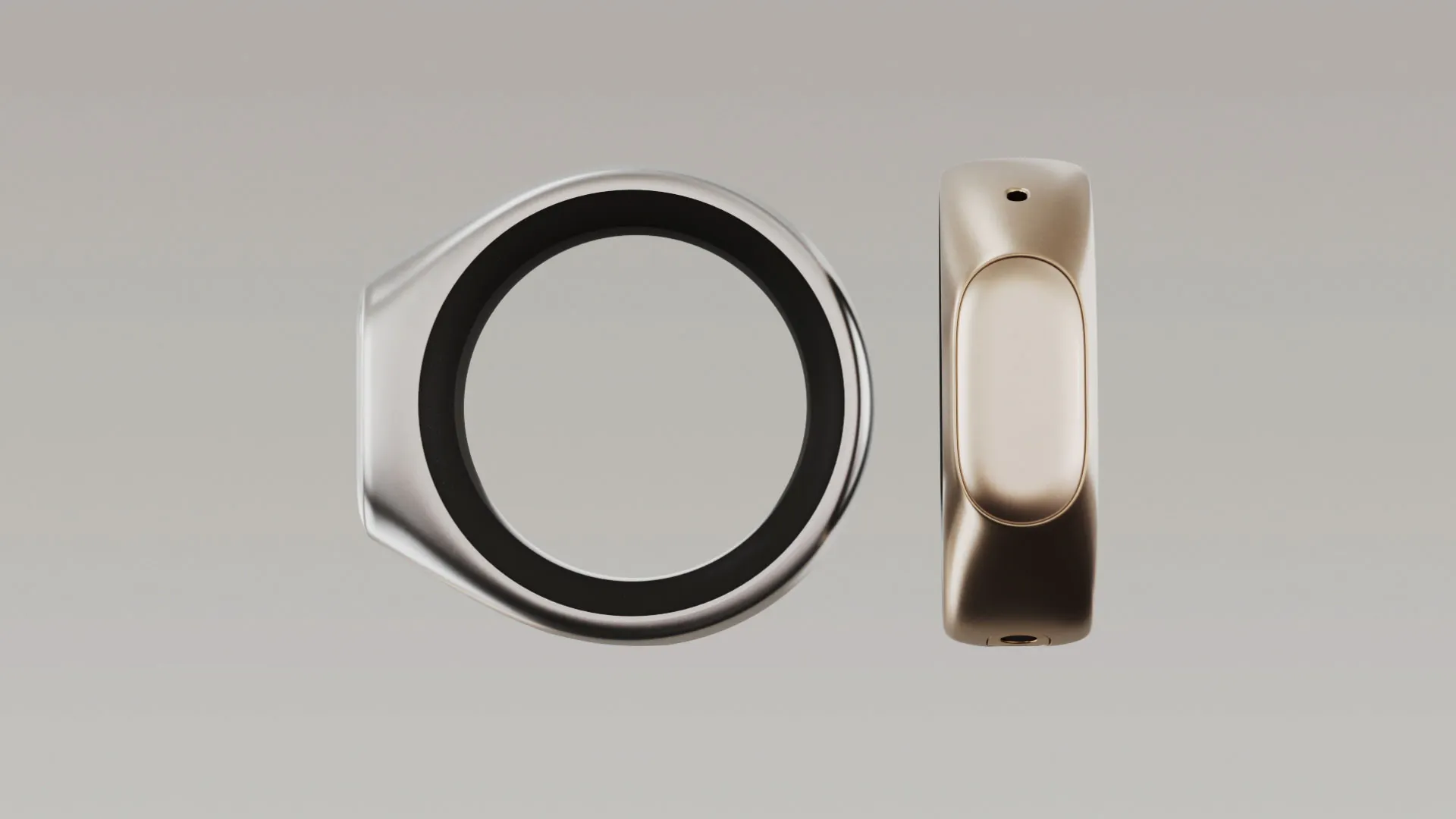
Product Introduction
- Definition: Stream is a private voice ring, a wearable hardware device paired with a dedicated software ecosystem designed for seamless voice capture and dictation. Technically, it is a Bluetooth-enabled wearable microphone and controller that integrates with iOS and macOS for universal speech-to-text input.
- Core Value Proposition: It exists to eliminate friction in digital thought capture. Its primary value is enabling push-to-talk universal dictation across any application on Apple devices without app switching, providing a private, instant conduit from mind to text.
Main Features
- Universal Dictation: This is the core technical feature. It provides system-level speech-to-text functionality that works across any text field on iOS and Mac. How it works: The Stream ring acts as a dedicated, always-available Bluetooth input device. Pressing its touchpad activates the device's microphone, captures audio, and sends it to the paired iPhone or Mac, which processes the audio into text via on-device or secure cloud-based ASR (Automatic Speech Recognition) and inputs it directly into the active app's text field.
- Integrated Voice Notes & Chat: The companion app provides dedicated spaces for voice notes and asynchronous voice messaging (Chat). This creates a private voice ring for personal ideation and collaborative discussion. Technically, audio captured for Notes and Chat is stored and synced via the Stream cloud, allowing for organization, search, and playback separate from the universal dictation stream.
- Hardware Design & Controls: The wearable ring features a glass touchpad for hold-to-talk, taps, and swipes, powerful haptics for silent confirmation feedback, and an aluminum-resin body for lightness. It includes a custom curved battery designed for all-day use. This hardware package enables discreet, one-handed operation for media control and voice capture without needing to physically interact with a phone or computer.
Problems Solved
- Pain Point: Context-switching delay and idea loss. The traditional process of unlocking a device, opening a specific app, and tapping a record or text field is too slow for fleeting thoughts and disrupts deep work flow.
- Target Audience: Knowledge workers (writers, researchers, executives), creatives (designers, content creators), and productivity-focused individuals who think verbally and require fast, hands-free capture of ideas, notes, and communications throughout their day.
- Use Cases: Dictating emails or messages while walking; capturing a quick idea during a meeting without drawing attention; verbalizing a complex thought directly into a document or code comment; controlling music playback during a workout; sending a voice memo to a collaborator without stopping your current task.
Unique Advantages
- Differentiation: Unlike standalone voice memo apps or platform-specific dictation (like Siri), Stream offers a dedicated hardware trigger for system-wide dictation that works identically across iOS and Mac, with no wake word or app selection needed. Unlike smart speakers, it is designed for private, personal capture, not public command-and-control.
- Key Innovation: The integration of a purpose-built wearable form factor (the ring) with a unified software layer that bridges personal note-taking (Notes), interpersonal communication (Chat), and system-wide text input (Dictation). This creates a cohesive "voice ring" ecosystem, treating the human voice as a primary, persistent input modality.
Frequently Asked Questions (FAQ)
- How does Stream's universal dictation work with any app? Stream installs a system-level keyboard/input method on your iOS and macOS devices. When you press the ring, audio is routed through Stream's secure service, converted to text, and inserted as if typed from a keyboard, making it compatible with any application that accepts text input.
- Is Stream's voice recording and dictation private and secure? According to its marketing, Stream emphasizes privacy as a private voice ring. Data processing specifics should be verified in its privacy policy, but the value proposition centers on keeping your voice data contained within your personal ecosystem for notes, chat, and your own dictation, unlike cloud assistants that may use data for training.
- What is the battery life of the Stream voice ring? Stream claims "all day use" powered by a custom curved battery that has been "obsessively tested." For precise hours of operation, refer to the official technical specifications upon product release.
- Can I use Stream for dictation on Android or Windows PCs? The initial launch, as described, focuses on deep integration with the Apple ecosystem (iOS and Mac). There is no mention of Android or Windows support, indicating it is currently designed exclusively for Apple devices.
- What is the difference between Stream's Notes, Chat, and Dictation features? Notes are for personal voice memos and idea capture. Chat is for sending voice messages to other Stream users. Dictation is the system-wide tool for converting speech to text in any other app (e.g., Notes app, Word, Messages, Email).


