
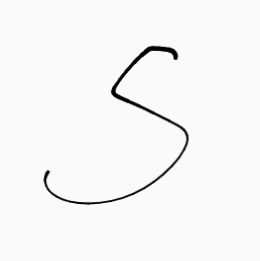
Product Introduction
- Definition: Stroke is a web-based SVG animation generator that transforms hand-drawn inputs into dynamic vector graphics. Technically categorized as a front-end development tool, it specializes in creating path-based SVG animations using JavaScript and React frameworks.
- Core Value Proposition: Stroke eliminates complex coding barriers for creating organic, hand-drawn animations—enabling effortless generation of signature-style motion graphics for logos, illustrations, and UI elements.
Main Features
- Canvas-to-SVG Conversion: Draw freehand sketches directly in the browser canvas. Stroke converts strokes into SVG path data (
<path d="...">) using vectorization algorithms, preserving natural drawing imperfections for authentic animations. - Motion-Integrated Code Export: Generates production-ready React/Next.js components with Framer Motion (via
motion.path). Automatically calculatesstroke-dasharrayandstroke-dashoffsetvalues to simulate drawing effects without manual CSS/JS coding. - Dynamic Customization Props: Supports inline styling via
classNamefor responsive sizing (e.g.,w-24 h-auto) andcolorprop for stroke customization—directly modifiable in React without SVG file editing.
Problems Solved
- Pain Point: Replaces tedious SVG animation workflows (manual path tracing, keyframe scripting) with instant code generation, solving time inefficiencies in front-end development.
- Target Audience: React/Next.js developers, UI designers creating branded animations, marketers needing signature animations, and illustrators seeking digital hand-drawn effects.
- Use Cases:
- Animated logos with sketch-style reveal effects
- Dynamic signatures for email footers or documents
- Interactive illustrations in landing pages or web apps
Unique Advantages
- Differentiation: Unlike generic SVG editors (Figma, Adobe Illustrator), Stroke outputs framework-specific React components with built-in animation logic—bypassing export/reformatting steps required by competitors.
- Key Innovation: Real-time SVG path optimization that retains hand-drawn fluidity while ensuring animation smoothness via Framer Motion’s declarative API.
Frequently Asked Questions (FAQ)
- How does Stroke animate SVG paths? Stroke uses
stroke-dasharrayandstroke-dashoffsetCSS properties controlled by Framer Motion’sanimateattribute, creating the illusion of drawing strokes progressively. - Can Stroke animations work without React? The core SVG code can be adapted for vanilla JS, but React/Next.js is required for built-in props like
colorandclassNamecustomization. - Is Stroke suitable for complex illustrations? Optimized for single-path drawings (logos/signatures). Multi-element illustrations require layered SVG grouping (
<g>) post-export. - How to customize animation speed? Modify the
transitionprop in the generatedmotion.pathcomponent (e.g.,transition={{ duration: 2 }}).


