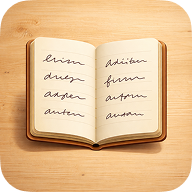
Product Introduction
- Definition: Paper is a purpose-built, minimalist digital notebook application (iOS/Web) designed exclusively for focused writing. It falls under the category of constrained digital productivity tools, specifically simulating the physical experience of using a paper notebook.
- Core Value Proposition: Paper exists to eliminate digital distraction and provide a realistic, sensory writing environment. Its primary purpose is to recreate the tangible feeling, finite capacity, and focused simplicity of physical notebooks, enabling users to achieve mental clarity through intentional, uninterrupted writing.
Main Features
- Finite Page System: Each digital notebook strictly contains 200 pages. This enforced limit mirrors physical notebooks, combating digital infinity syndrome and encouraging deliberate writing. Pages cannot be added or deleted, simulating the commitment of paper.
- Realistic Page Interaction: Paper employs physics-based page-flipping animations synchronized with subtle paper-rustling sound effects. This tactile UI design utilizes Web Audio API and CSS3 animations to create a multisensory experience, reinforcing the physical notebook metaphor and enhancing focus.
- Zero Organizational Overhead: The application deliberately excludes folders, tags, search functions, or productivity systems (like linking or task management). The interface presents only the current open notebook, reducing cognitive load and decision fatigue associated with complex note-taking apps.
- One-Time Purchase Model: Users buy individual notebooks for $5 USD. This ownership model replaces subscriptions, aligning with the concept of acquiring distinct, finite objects (like physical notebooks) rather than an endless digital service.
Problems Solved
- Pain Point: Digital distraction and feature overload in note-taking apps (e.g., Evernote, Notion, OneNote) hinder focused writing and flow states. Paper solves this by removing all extraneous features, creating a dedicated space purely for putting thoughts into words.
- Target Audience: Writers seeking flow state (journalers, memoirists, essayists), individuals practicing therapeutic writing or morning pages, analog notebook enthusiasts transitioning to digital, and users overwhelmed by complex productivity suites.
- Use Cases: Daily journaling for mental clarity, capturing unstructured thoughts without formatting friction, drafting long-form content without editing distractions, maintaining distinct notebooks for specific life phases or projects.
Unique Advantages
- Differentiation: Unlike feature-rich competitors (Notion, Evernote) or minimalist alternatives (iA Writer, Bear), Paper uniquely enforces physical notebook constraints (fixed page count, no search/organization) and prioritizes sensory realism (page flip, sound) over text manipulation or export features. It competes by offering less, not more.
- Key Innovation: Paper's core innovation is its philosophy of "digital constraint." By technologically enforcing the limitations of physical paper (finite pages, no editing history, no cloud sync complexity), it leverages scarcity and tangibility to enhance intentionality and presence in digital writing, a counter-intuitive approach in a space dominated by infinite flexibility.
Frequently Asked Questions (FAQ)
- Can I export my writing from Paper notebooks? Paper prioritizes the writing experience and currently does not support text export or copy-paste functionality, reinforcing the concept of the notebook as a contained, finite object rather than a data source.
- Does Paper work offline? Yes, Paper functions fully offline once a notebook is purchased and loaded, ensuring uninterrupted writing access anywhere, aligning with its focus on simplicity and reliability.
- Why only 200 pages per notebook? The 200-page limit is a deliberate design constraint mimicking physical notebooks. It combats digital hoarding, encourages completion, and provides psychological closure, making each notebook a distinct, finished artifact.
- Is Paper available on Android or as a desktop app? Currently, Paper is accessible via web browser and is optimized for iOS. There is no native Android or desktop application available at launch, focusing development on core platform experience.
- How does Paper handle data backup or loss prevention? Paper notebooks are stored locally within the browser or app. Users are responsible for ensuring device data integrity, as the absence of cloud sync or export reduces complexity but requires user diligence for data preservation.