
Product Introduction
- Definition: The Nimbalyst Wiki is a local, agent-integrated knowledge management system. Technically, it is a Model Context Protocol (MCP) server and plugin suite that enables AI coding agents (like Claude Code, Codex, Cursor) to write and maintain a structured wiki directly within a software project's repository. The wiki consists of plain markdown, CSV, Excalidraw, and HTML files.
- Core Value Proposition: It exists to solve information overload and decision sprawl when working with AI coding agents. Its primary value is providing a persistent, human-editable knowledge base that agents automatically populate with architectural decisions, open questions, and project context, enabling developers to maintain strategic oversight and organization.
Main Features
- Agent-Native Wiki Creation: The plugin integrates directly into the agent's workflow via MCP. How it works: After a simple CLI or plugin installation, the agent can execute commands like
/nimbalyst-wiki:setupto analyze the repository's README and documentation and bootstrap a structured wiki with a Home page, writing guide, and starter pages. It uses the agent's natural language processing to distill conversations into structured records. - Automated Decision & Question Capture: A core feature is the
/nimbalyst-wiki:capturecommand. How it works: At the end of a coding session, the agent parses the transcript, identifies key decisions and unresolved questions, and writes them into the relevant wiki pages. Each decision is annotated with metadata: who decided (the user or agent), timestamp, and the alternatives that were considered but rejected, creating an audit trail. - Multi-Format Visual Editing: The wiki supports beyond-text artifacts. How it works: Users or agents can request interactive diagrams, Excalidraw drawings, mind maps, CSV spreadsheets, data models (from Prisma schemas), HTML mockups, and canvases. These are saved as standard file formats (
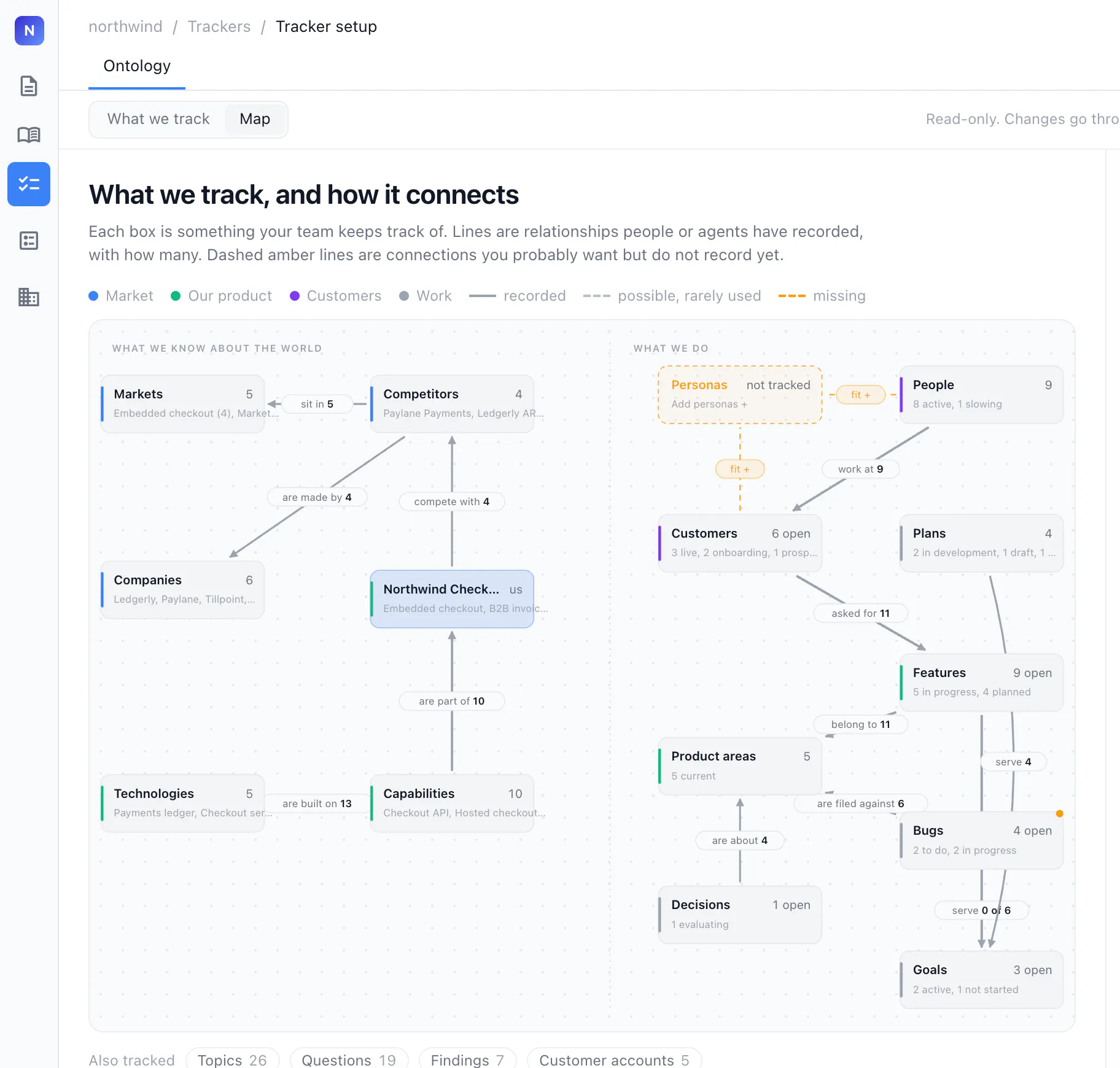
.excalidraw,.csv,.html) in the wiki folder. A local web server (nim wiki serve) provides a browser-based visual editor for these files, with changes saved directly back to the source files. - Type-Driven Tracking System: For structured data tracking (competitors, features, customers). How it works: Users instruct the agent to "track our competitors in the wiki" with specific fields. The agent creates a custom "type" definition, a template markdown file for individual items with frontmatter fields, and a master index page that aggregates all items of that type into a sortable table.
Problems Solved
- Pain Point: The loss of critical context and decisions buried in endless AI coding agent chat transcripts, leading to disorganization and repeated discussions.
- Target Audience: Software developers, engineering managers, and technical leads who regularly use AI-powered coding assistants (Claude Code, Codex, Cursor, VS Code Copilot) for complex project work and need to maintain project knowledge and architectural consistency.
- Use Cases:
- Onboarding & Context Handoff: A new team member reviews the wiki's decision records and open questions index to understand the project's current state and rationale.
- Architecture Review: Tracking architectural decision records (ADRs) that are automatically generated and linked to relevant code files.
- Sprint Planning: Maintaining a live, agent-updated list of open questions and tracked features with owners, directly within the project repo.
- Multi-Agent Workflow: Using different AI agents (Claude Code for planning, Cursor for implementation) on the same project, with all agents reading from and writing to a single, consistent knowledge source.
Unique Advantages
Strengths & Limitations (Pros & Cons):
- Pros:
- Zero-Friction Agent Integration: Deeply integrated into the agent's workflow via MCP, making capture and recall a natural part of the session.
- File-Based & Portable: Wiki is plain files in your repo (default in
.gitignored folder), ensuring vendor lock-in avoidance, easy version control, and simple backup. - Multi-Agent & Editor Agnostic: Works identically across Claude Code, Codex, Cursor, VS Code, and any MCP-compliant agent.
- Truly Local-First: No account or Nimbalyst server required for core functionality; local web server runs on your machine.
- Cons:
- Agent-Dependent: The wiki's primary value is unlocked through active use of an AI coding agent. Its utility is diminished if used purely manually.
- Setup Complexity: Requires initial one-time setup (installing CLI, configuring MCP) which may be a barrier for non-technical users.
- Team Features Require Cloud: While local is free, real-time multiplayer editing ("Wiki Teams") requires a cloud service (console.nimbalyst.com) and Google account sign-in.
- Pros:
Key Alternatives & Differentiation:
- vs. Obsidian: Both are file-based, local-first knowledge bases. Differentiation: Nimbalyst Wiki is agent-native; Obsidian requires manual note-taking or separate plugins. Nimbalyst's capture/recall is triggered from within the AI agent, and it creates structured decision records automatically, whereas Obsidian is a general-purpose tool.
- vs. Notion AI: Both offer AI-assisted wikis. Differentiation: Nimbalyst is local, file-based, and integrated into coding IDEs/agents. Notion AI is a cloud-based SaaS platform with a broader feature set but locked into its proprietary database and format.
- vs. Claude Code's Native Memory (CLAUDE.md/AGENTS.md): Both exist within the Claude Code ecosystem. Differentiation: Native memory is for agent-to-agent instruction and context. The Nimbalyst Wiki is for human consumption—a curated record of outcomes (decisions, open questions) written for the developer, not the AI's next session.
Frequently Asked Questions (FAQ)
- Is Nimbalyst Wiki the same as Claude Code memory? No. Claude Code's auto-memory and CLAUDE.md files are designed to give the agent context for its next session. The Nimbalyst Wiki is written by the agent for the human developer, documenting final decisions, open questions, and project tracking in an editable, persistent knowledge base.
- Where are my wiki files stored, and can I share them via Git? By default, files are stored in a
nimbalyst-local/wikifolder in your project root, which is automatically added to.gitignore. To share the wiki with a team via Git, you can reconfigure it to use a tracked directory likedocs/wiki. All files are standard formats (Markdown, CSV, etc.) for easy diffing and merging. - Do I need the Nimbalyst desktop app to use the wiki? No. The core Nimbalyst Wiki functionality is delivered entirely through the MCP plugin, the
nimCLI, and the local web browser view. The desktop app is a separate, integrated visual workspace that can also open the same wiki files. - How does the agent know what's already in the wiki? The plugin provides the agent with context at the start of each session, summarizing the wiki's coverage and highlighting pages related to files you've changed. You can also use the
/nimbalyst-wiki:recallcommand or ask direct questions ("why did we choose X?"), and the agent will search and reference the wiki's content. - What happens to my wiki if I stop using Nimbalyst? Your data remains entirely in your possession as plain files in your project directory. You can continue to edit the markdown and other files with any standard text editor or compatible tool. The investment in content is not lost.


