Product Introduction
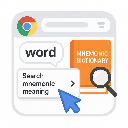
- Mnemonic Finder is a Chrome extension designed to accelerate vocabulary acquisition by providing instant access to mnemonic learning techniques for any selected word. It integrates directly with MnemonicDictionary.com, a specialized platform for memory-aid strategies, through a right-click context menu. The tool eliminates manual searches by automating the retrieval of associative memory cues tailored to specific words.
- The core value lies in its ability to streamline the learning process for complex vocabulary, particularly for high-stakes exams and language mastery. By leveraging mnemonic devices, it reduces cognitive load and enhances retention rates compared to traditional memorization methods. The extension prioritizes speed and simplicity, requiring no user configuration or data input.
Main Features
- The extension adds a "Search Mnemonic Meaning" option to the browser’s right-click context menu, enabling single-click access to associative memory techniques for any highlighted word. This feature bypasses manual navigation to external websites, saving an average of 15-20 seconds per query.
- Results are displayed directly on MnemonicDictionary.com in a new tab, ensuring users access curated mnemonic examples like acronyms, visual imagery, and word associations. The target website’s database covers 150,000+ words, including niche academic and technical terms.
- It operates universally across all websites and PDF viewers within Chrome, maintaining functionality on password-protected pages, dynamic web apps, and embedded text elements. The extension imposes no storage limits or usage restrictions despite its 500KiB size.
Problems Solved
- Traditional vocabulary tools focus on definitions rather than retention strategies, leaving users struggling to memorize complex terms for exams like GRE/TOEFL. Mnemonic Finder specifically addresses this gap by prioritizing memory reinforcement over basic translation or explanation.
- The tool serves standardized test takers, multilingual learners expanding their English lexicon, and professionals requiring precise terminology recall in fields like law or medicine. Its design caters to users who need systematic, repeatable memorization frameworks.
- A typical scenario involves a user reading a research paper online, encountering the word "obfuscate," and using the extension to instantly retrieve mnemonic devices like "Obfuscate = Obvious + Fake → hiding the obvious truth." Another use case includes ESL learners building vocabulary through associative patterns during web browsing.
Unique Advantages
- Unlike generic dictionary extensions such as Vocab by Preply or Merriam-Webster integrations, Mnemonic Finder exclusively surfaces memory-enhancement content rather than basic definitions. This specialization ensures users avoid information overload from irrelevant data.
- The integration with MnemonicDictionary.com provides access to a dedicated crowdsourced repository of mnemonics, which competitors like DiQt or Dictionary Anytime lack. This repository includes user-contributed examples validated through community upvoting systems.
- Competitive strengths include zero data collection (verified in the privacy policy), no requirement for accounts or subscriptions, and compatibility with all Chrome-based browsers. The extension’s 1.0 version already supports real-time updates from MnemonicDictionary.com without requiring client-side upgrades.
Frequently Asked Questions (FAQ)
- How does the extension interact with MnemonicDictionary.com? The extension sends the selected word as a URL parameter to MnemonicDictionary.com’s search endpoint, triggering an immediate redirect. No intermediate servers process the data, ensuring end-to-end privacy between the user’s browser and the target website.
- Is my browsing data stored or monitored? The developer confirms in the privacy policy that no user data—including selected words, browsing history, or personal identifiers—is collected, stored, or transmitted to third parties. All processing occurs locally within the Chrome browser.
- Does it work for non-English words or phrases? Currently, the extension is optimized for English vocabulary and relies on MnemonicDictionary.com’s English-centric database. Multi-word phrases may return inconsistent results depending on the website’s indexing capabilities.
- Can I use it offline? Functionality requires an active internet connection to query MnemonicDictionary.com’s live database. The extension does not cache or store mnemonic data locally due to storage constraints.
- Are there plans to add features like saved word lists? The GitHub repository indicates a roadmap focused on maintaining minimalism, with no immediate plans for additional features beyond core mnemonic retrieval. Users are directed to bookmark MnemonicDictionary.com pages for later review.