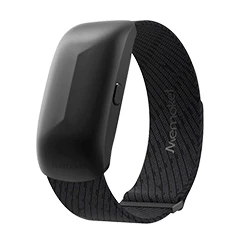
Product Introduction
- Definition: Merge is a proprietary software solution (mobile application suite) designed to bridge the hardware and software ecosystem gap between Apple Watch and Android smartphones. It functions as a Bluetooth communication middleware, enabling cross-platform compatibility traditionally restricted by manufacturer ecosystems.
- Core Value Proposition: Merge exists to liberate users from platform lock-in, specifically enabling Apple Watch owners to fully utilize their wearable device (including health tracking, notifications, and controls) with an Android phone, and conversely, allowing Wear OS watch users to connect to an iPhone. Its primary value is cross-platform Apple Watch Android compatibility and Wear OS iPhone connectivity.
Main Features
- Bi-Directional Bluetooth Communication: Merge establishes a persistent, low-energy Bluetooth connection between the Apple Watch and the Android phone. The setup involves installing the "Merge Apple" app on the Android device and the "Merge" companion app from the App Store directly onto the Apple Watch. A QR code scan or manual pairing initiates the secure link, facilitating continuous data exchange.
- Health Data Syncing via Health Connect: Merge extracts comprehensive health metrics (like heart rate, steps, sleep, workouts) from the Apple Watch and syncs this data securely to the user's Android phone. Crucially, it integrates with Google's Health Connect framework, allowing the synced Apple Watch health data to be accessed by any Health Connect-compatible Android health or fitness app (e.g., Google Fit, MyFitnessPal).
- Android Notification Mirroring & Interaction: Users receive all Android phone notifications (calls, messages, apps) directly on their Apple Watch. Beyond viewing, Merge enables actionable responses, including quick replies to messages (using preset or voice-to-text) and direct call management (answer/decline) from the wrist.
- Media Playback Control: Merge provides remote control capabilities for media playback on the connected Android phone. Users can play, pause, skip tracks, and adjust volume directly from their Apple Watch, regardless of the media app running on the phone.
- Dual-Phone Connectivity (Apple Watch): A unique feature allows an Apple Watch to maintain simultaneous connections to both an iPhone and an Android phone. Users can receive notifications and access core functions from both devices on a single Apple Watch, ideal for managing separate work and personal phones.
- Broad Hardware Compatibility: Merge supports a wide range of Apple Watch models, including Apple Watch Series 4, 5, SE (1st Gen), 6, 7, SE (2nd Gen), 8, Ultra, 9, Ultra 2, and Apple Watch 10 (Series 10), paired with Android phones running compatible OS versions (typically Android 10+ with Google Mobile Services).
Problems Solved
- Pain Point: Ecosystem Lock-in: Apple intentionally restricts Apple Watch functionality to iPhones, forcing users who prefer or switch to Android to abandon their Apple Watch investment. Merge directly solves this Apple Watch Android incompatibility problem.
- Target Audience:
- Android Enthusiasts with Apple Watch: Users who prefer Android phones but own or desire an Apple Watch for its design, health sensors, or specific features.
- Multi-Device Professionals: Individuals using separate iPhones and Android phones (e.g., work/personal) who want a single Apple Watch to receive notifications and function with both devices seamlessly.
- Fitness & Health Focused Users: Android phone users seeking access to the advanced health monitoring capabilities (ECG, blood oxygen, temperature sensing) of Apple Watch and integration with their preferred Android health apps via Health Connect.
- iPhone Switchers: Users migrating from iPhone to Android who wish to continue using their existing Apple Watch.
- Use Cases:
- Using an Apple Watch Ultra 2 for advanced running metrics while paired with a Samsung Galaxy S24.
- Receiving critical work Slack notifications on an iPhone and personal WhatsApp messages on a Pixel 7, all on an Apple Watch Series 8 connected to both phones via Merge.
- Syncing Apple Watch SE sleep data to Google Fit on an Android phone for long-term trend analysis.
- Controlling Spotify playback on an Android phone during a commute using an Apple Watch.
- Quickly replying to an SMS from an Android device directly on the Apple Watch without touching the phone.
Unique Advantages
- Differentiation: Unlike limited workarounds (e.g., basic notification forwarding apps) or platform-specific solutions (Wear OS for Android, Apple Watch for iOS), Merge provides deep, two-way integration specifically between Apple Watch hardware and the Android OS. Competitors lack its simultaneous dual-phone support for Apple Watch and its direct Health Connect integration for Apple Watch health data on Android.
- Key Innovation: Merge's core innovation lies in its proprietary Bluetooth communication protocol and companion watchOS app. This technology bypasses Apple's standard pairing restrictions without requiring jailbreaking, enabling features like actionable notifications, health data extraction, and media control that mimic core iPhone pairing functionality, all while maintaining a stable connection between the Apple Watch and Android device.
Frequently Asked Questions (FAQ)
- Which Apple Watch models work with Merge and Android? Merge supports Apple Watch Series 4, 5, SE (1st Gen), 6, 7, SE (2nd Gen), 8, Ultra (1st Gen), 9, Ultra 2, and Apple Watch 10 (Series 10) for connection to Android phones.
- How does Merge connect an Apple Watch to an Android phone? You install the "Merge Apple" app on your Android phone and the "Merge" app from the App Store on your Apple Watch. The apps communicate via a secure Bluetooth connection established during a simple setup process initiated by scanning a QR code or manual pairing.
- Can Merge sync Apple Watch health data to Google Fit on Android? Yes, Merge syncs health metrics (steps, heart rate, sleep, workouts, etc.) from your Apple Watch to your Android phone and integrates with Health Connect. This allows Google Fit and other Health Connect-compatible apps to access and display your Apple Watch health data seamlessly.
- Does Merge allow using an Apple Watch with both an iPhone and Android phone? Yes, a key feature is dual-phone connectivity. Merge enables an Apple Watch to stay connected simultaneously to both an iPhone (for core Apple services) and an Android phone, receiving notifications and enabling core functions from both devices on the single watch.
- What Android features work on Apple Watch via Merge? Merge enables receiving and interacting with Android notifications (reply to messages, answer/decline calls), syncing health data to Health Connect apps, controlling media playback (play/pause/skip/volume), and basic phone functions, providing core Android integration on Apple Watch.