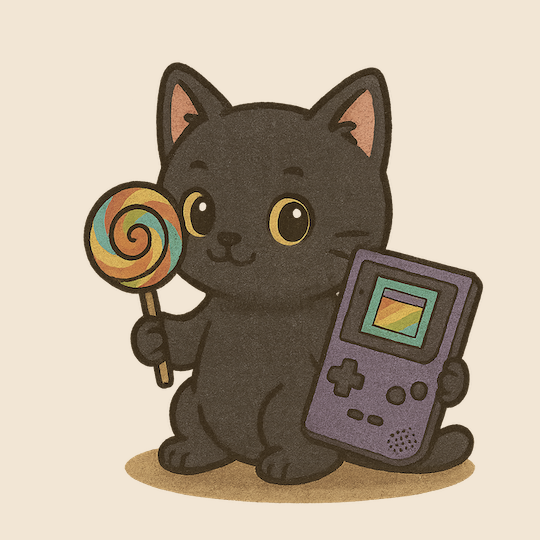
Product Introduction
- GameBoy vibes is a CANDYCAT-themed emulator designed to play classic GameBoy games with customizable visual and control settings. It supports both web-sourced ROMs and user-provided cartridge dumps, offering a nostalgic gaming experience enhanced by modern customization. The product integrates retro gameplay mechanics with a vibrant, thematic interface tailored for enthusiasts of retro gaming and CANDYCAT's aesthetic.
- The core value lies in merging authentic GameBoy emulation with extensive personalization, enabling users to relive classic games while adapting the interface to their preferences. It prioritizes accessibility by simplifying ROM integration and control configuration, ensuring seamless compatibility with both original cartridges and digital files.
Main Features
- The emulator supports 20+ customizable visual themes, including Candycat Original (Green), Grayscale Pocket, Coffee Monochrome, Strawberry Cotton Candy, and others, allowing users to tailor the interface to match their style. Themes span monochrome, retro, and vibrant color palettes, with options like Kirby, Yoshi, and Moonlight for diverse preferences.
- Keyboard-based controls emulate the GameBoy’s button layout: arrow keys for directional input, H/J for B/A buttons, Shift for select, and Enter for start, ensuring intuitive gameplay without external hardware. Users can reconfigure controls or connect external gamepads for alternative input methods.
- Built-in tools include Pause, Reset, Sound Off, and Save/Load states, enhancing gameplay flexibility. The emulator automatically detects ROMs from web searches or local files, streamlining game setup and reducing manual configuration.
Problems Solved
- It addresses the lack of accessible, visually customizable GameBoy emulators that balance authenticity with modern user experience. Many emulators prioritize functionality over aesthetics, limiting personalization for themed or brand-aligned interfaces.
- The target user group includes retro gaming enthusiasts, CANDYCAT brand followers, and collectors seeking to preserve or replay physical GameBoy cartridges via digital dumps. It also appeals to designers interested in UI customization.
- Typical scenarios involve replaying classic titles like Pokémon or Zelda with themed visuals, testing fan-made ROM hacks, or converting physical cartridges into digital backups for preservation.
Unique Advantages
- Unlike generic emulators, GameBoy vibes offers exclusive CANDYCAT-branded themes and color schemes unavailable in other software. Competitors lack integrated ROM search tools or preloaded visual customization libraries.
- The "Search for ROMs on the interwebs" feature simplifies game acquisition by automating ROM discovery, reducing reliance on external databases. Theme switching is instantaneous without requiring emulator restarts.
- Competitive strengths include lightweight performance, no mandatory downloads (web-based access), and cross-platform compatibility. The combination of brand-aligned design and technical precision ensures appeal to both casual and technical users.
Frequently Asked Questions (FAQ)
- How do I load ROMs into the emulator? Users can search for ROMs directly via the built-in web search tool or upload their own cartridge dumps using supported file formats like .gb or .gbc. The emulator auto-detects valid files upon upload.
- Can I switch themes during gameplay? Yes, all 20+ themes are accessible mid-game through the settings menu without interrupting gameplay. Changes apply immediately, including adjustments to color palettes and UI elements.
- What controls are supported besides the keyboard? The emulator natively supports keyboard inputs but allows external gamepads via USB or Bluetooth connectivity. Button mapping can be customized in the settings for compatible devices.