
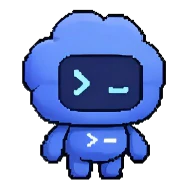
Product Introduction
Definition: Codex Pets are AI-integrated, animated companions and UI status overlays designed specifically for the Codex app ecosystem. Technically, they function as a floating graphical interface that monitors and visualizes the state of active AI threads and background agentic processes, providing a persistent HUD (Heads-Up Display) for developers working across multiple applications.
Core Value Proposition: Codex Pets exist to bridge the gap between asynchronous AI task execution and developer awareness. By providing a real-time "at-a-glance" status indicator, they eliminate the need for constant context switching back to the Codex app to check on long-running tasks. Key keywords include AI companion, status monitoring overlay, developer productivity tool, Codex app customization, and agentic workflow visualization.
Main Features
State-Reflective Floating Overlay: The core technical component is a non-intrusive floating window that stays visible while the user interacts with other IDEs or browsers. It dynamically reflects the "active thread status" by mapping Codex’s internal states—Running, Waiting for Input, or Ready for Review—to specific animations and progress prompts. This ensures the user is immediately notified when an LLM (Large Language Model) task requires intervention or has successfully completed.
Hatch-Pet Skill Customization: Beyond built-in companions like "Stacky," the product leverages the Codex skill architecture. Users can install the
hatch-petskill via the$skill-installer hatch-petcommand. This feature uses AI-driven generation to create custom pets based on recent projects or specific user prompts. It integrates directly with the Codex command menu (Cmd+K or Ctrl+K), allowing for programmatic "Wake Pet" or "Tuck Away Pet" actions.Contextual Progress Prompts: The overlay does more than show animation; it pairs the current agent state with a "short progress prompt." This technical summary allows the developer to see exactly what the agent changed or what it is currently processing without reopening the full thread. It utilizes the app's background mode and streaming capabilities to provide live updates from the active environment.
Problems Solved
- Pain Point: Context-Switching Fatigue: Developers often lose focus when toggling between their code editor and an AI interface to check if a generation is complete. Codex Pets solve this by keeping the status "top-of-mind" in a peripheral visual space.
- Target Audience: The primary personas include Software Engineers, AI Researchers, and DevOps professionals who utilize OpenAI Codex for complex, multi-step tasks such as codebase modernization, automated PR generation, or long-running shell scripts.
- Use Cases: Essential for monitoring "Computer Use" tasks where Codex is interacting with the desktop, tracking long-running "Background Mode" operations, and providing a visual cue for "Ready for Review" states during automated code refactoring.
Unique Advantages
- Differentiation: Unlike traditional static notifications or progress bars, Codex Pets offer an emotional and highly visible feedback loop. While most AI tools hide their background processing in a tab, Codex Pets bring the agent's "presence" to the desktop level, making the AI feel like a collaborative partner rather than a hidden script.
- Key Innovation: The integration of the Model Context Protocol (MCP) and the
config.tomlsystem allows these pets to be more than just cosmetic. They are deeply tied to the agent's configuration, inheriting settings from the IDE and CLI extensions, making the companion a unified status indicator across the entire developer toolkit.
Frequently Asked Questions (FAQ)
How do I enable or customize Codex Pets in the app? To enable Codex Pets, navigate to Settings > Appearance > Pets within the Codex app. Here, you can select from built-in companions or refresh custom pets. You can toggle the visibility of the overlay using the
/petcommand in the composer or via the command menu (Cmd+K/Ctrl+K) using "Wake Pet" or "Tuck Away Pet."How can I create a custom Codex Pet using the hatch-pet skill? Custom pets are generated using the
hatch-petskill. First, install the skill by running$skill-installer hatch-petin the terminal or composer. After reloading skills via the command menu (Force Reload Skills), use the command$hatch-pet create a new petfollowed by your desired description, such as "inspired by my current React project."Do Codex Pets affect the performance of the Codex app or my system? Codex Pets are designed as lightweight overlays with minimal resource overhead. They function as a visual extension of the existing app state. On macOS, ensuring the proper "Screen Recording" and "Accessibility" permissions are set in Privacy & Security settings is necessary for the overlay to function correctly alongside other desktop applications.


