Product Introduction
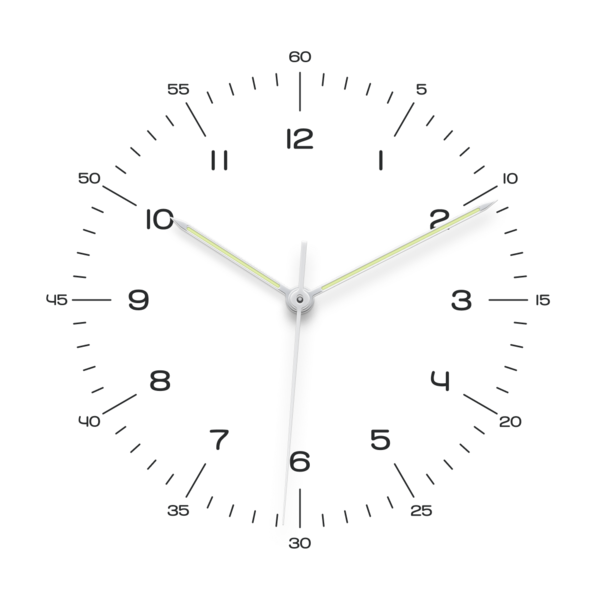
Bauhaus Clock is a minimalist analog screensaver designed for macOS that transforms idle screen time into an aesthetically pleasing timekeeping experience. It combines functional precision with Bauhaus design principles, offering both visual elegance and technical sophistication during system downtime. The product operates as a background utility that activates automatically when the Mac enters sleep or screensaver mode.
The core value lies in merging utilitarian timekeeping with artistic expression, elevating device idle states from passive intervals to curated visual experiences. It prioritizes seamless integration with macOS workflows while delivering museum-grade design fidelity and mechanical accuracy equivalent to luxury timepieces.
Main Features
- The screensaver replicates mechanical watch precision with a smooth 28,800 beats-per-hour movement engine, simulating the sweep of high-end analog chronometers through advanced animation algorithms. This exceeds standard 60Hz digital clock displays by 480x in temporal resolution.
- Users can customize interface elements across 9 curated color profiles (White, Turquoise, Glacier, Ocean, Tennis, Signal Blue, Salmon, Yellow, Tritium Green) with automatic day/night mode switching for optimal visibility. Color parameters are adjustable through a native macOS preferences panel without third-party plugins.
- Multilingual support covers 10 languages including English, Japanese, Simplified Chinese, and Arabic, with localized typography that maintains the original Bauhaus grid structure across all character sets. Numeral displays remain universal for global recognition.
- Installation complies with Apple's notarization standards (SHA-256 signed package) requiring macOS 14 Sonoma or later, ensuring kernel-level security validation through Gatekeeper without user terminal commands.
Problems Solved
- Addresses the lack of sophisticated, non-distracting screensavers that provide both functional timekeeping and artistic value during work breaks or device idle periods. Many default options lack customization or visual refinement suitable for professional environments.
- Targets design-conscious macOS users in creative industries, software development, and executive roles who prioritize workspace aesthetics alongside system performance. Secondary users include horology enthusiasts seeking accurate mechanical motion simulation.
- Typical scenarios include maintaining desk ambiance during video calls with inactive screens, providing subtle time awareness in studio environments, and serving as a diagnostic tool for display calibration through its precise motion patterns.
Unique Advantages
- Differentiates from basic screensavers through horologically accurate movement physics developed in collaboration with watch engineers, implementing true beat rates rather than approximated animations. The 4Hz refresh cycle matches Swiss automatic watch standards.
- Innovates with tritium-inspired luminosity algorithms that automatically adjust screen brightness and color temperature based on ambient light sensors in compatible Mac models. This prevents eye strain during nocturnal use while maintaining readability.
- Competes through macOS-exclusive optimization, including Metal API acceleration for fluid rendering and memory footprint below 18MB even during 5K display operation. Lifetime updates include new dial designs without subscription models.
Frequently Asked Questions (FAQ)
- What macOS versions are supported? Bauhaus Clock requires macOS 14 Sonoma or newer due to SwiftUI 5 framework dependencies and Notarization API integrations, ensuring compatibility with Apple Silicon and T2 security chips.
- Can I create custom color schemes? While predefined palettes are fixed to maintain design integrity, users can adjust RGB values via Terminal commands with advanced technical knowledge, though this voids display calibration guarantees.
- Is the installation secure? The package is Apple-notarized with SHA-256 encryption and undergoes automated malware scans through Xcode Cloud builds before each release, requiring no system-level permissions beyond standard screensaver authorization.