
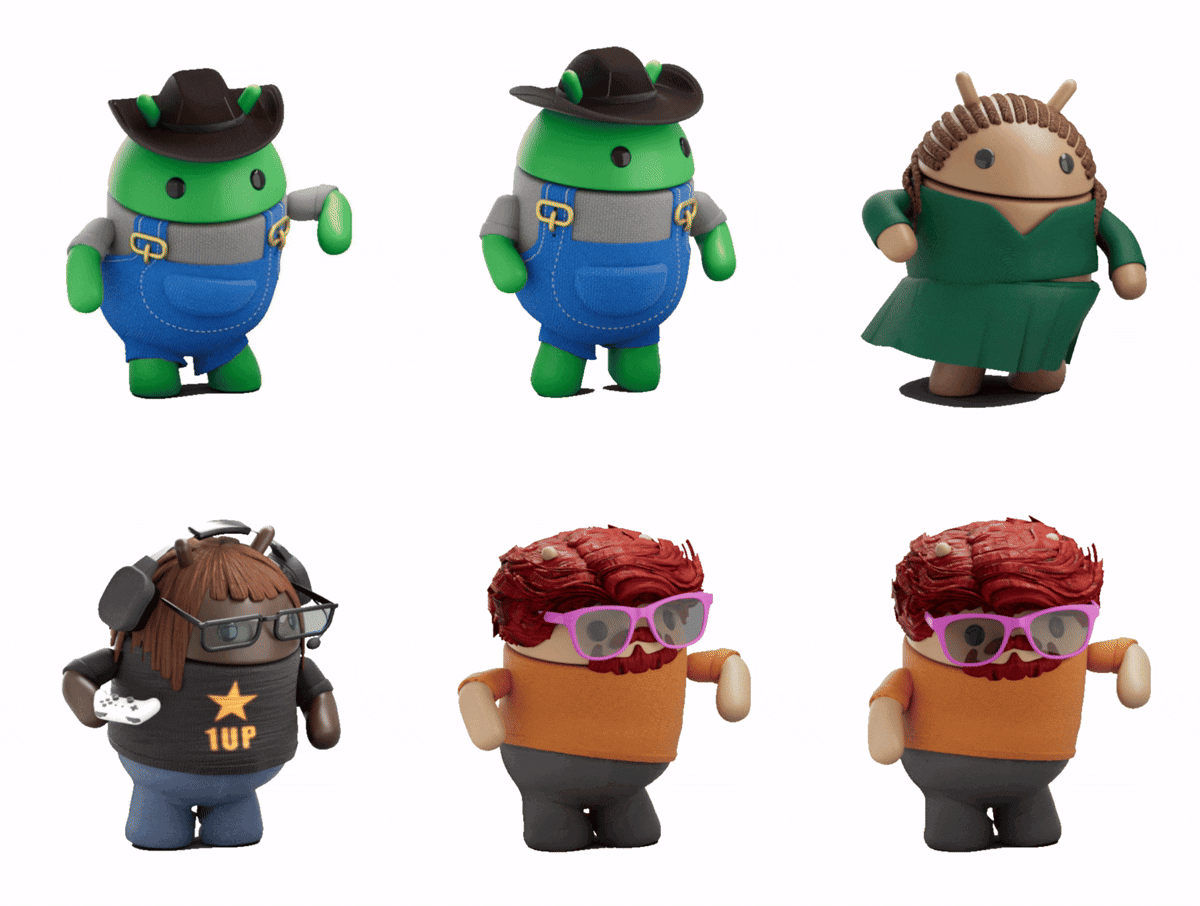
Product Introduction
- Androidify is a rebranded AI-powered application that enables users to create personalized Android bot avatars using selfies, text prompts, or uploaded images. It leverages Google’s Gemini, Imagen, and Gemma AI models to generate stylized bots with customizable accessories, clothing, and color schemes. The app integrates advanced AI tools to produce shareable stickers, animated backgrounds, and short videos, with temporary storage accessible via unique URLs.
- The core value of Androidify lies in its ability to merge user creativity with generative AI for personalized digital identity creation. It simplifies the process of designing unique avatars by automating complex design tasks through AI while offering exclusive animation features powered by Veo. The app prioritizes ephemeral content storage, ensuring user-generated bots are automatically deleted after 30 days for privacy.
Main Features
- Androidify uses Gemini Flash and Gemma AI models to transform text prompts or uploaded photos into Android bots, applying context-aware styling such as clothing, accessories, and color palettes. Users can add up to two accessories from a predefined list, including items like skateboards, stilettos, or pirate hats, to refine their bot’s appearance.
- The app integrates Google’s Veo model to animate bots with themed “vibes” like Fitness Buff, Music Lover, or Soccer Fanatic, available exclusively to randomly selected users. These animations combine motion graphics and AI-generated backgrounds, rendered in real time for immediate preview and download.
- Users can generate shareable stickers and download their bots as static images or animated MP4 files, which are stored for 30 days via auto-expiring URLs. The app supports cross-platform sharing through direct social media integration or manual URL copying.
Problems Solved
- Androidify addresses the complexity of creating personalized digital avatars by automating design workflows with multimodal AI, eliminating the need for manual graphic design skills. It streamlines the process from concept to shareable content in under a minute.
- The app targets social media users, Android enthusiasts, and content creators seeking branded, AI-generated visuals for profiles, stickers, or short-form video content. It also serves developers experimenting with Google’s Gemini and Imagen APIs in a consumer-facing interface.
- Typical use cases include generating profile pictures for social accounts, creating branded mascots for communities, and producing animated content for messaging platforms. Enterprises can utilize it for rapid prototyping of character designs in marketing campaigns.
Unique Advantages
- Unlike competitors such as Bitmoji or Zepeto, Androidify directly integrates Google’s latest AI models (Gemini Flash, Gemma, Veo) for both image generation and video synthesis, ensuring higher technical fidelity and faster processing. The app’s ephemeral storage model differentiates it by prioritizing data privacy through auto-deletion.
- The “vibes” animation system uses Veo’s generative video capabilities to apply context-specific motions and backgrounds, a feature absent in most avatar apps. The accessory customization engine employs Imagen’s object recognition to seamlessly integrate items like hats or sneakers into bot designs.
- Competitive advantages include zero persistent image storage (uploads are discarded post-generation), beta access to unreleased Google AI features, and compatibility with Android’s Material Design guidelines for consistent branding. The app’s experimental status allows rapid iteration with cutting-edge models before broader API releases.
Frequently Asked Questions (FAQ)
- How long are my Android bot and animations stored? All generated content is hosted for exactly 30 days via a unique URL, after which it is permanently deleted from Google’s servers. Users must manually download files for long-term retention.
- What AI models power the bot creation? The app uses Gemini Flash for prompt processing, Gemma for style adaptation, Imagen 3 for accessory integration, and Veo for video generation. Input images are processed through Google’s proprietary vision transformers.
- Why can I only add two accessories? This limitation ensures optimal AI performance in rendering coherent designs without visual conflicts. The system uses collision detection algorithms that currently support a maximum of two non-overlapping items.
- How are “vibes” animations unlocked? Veo-powered animations are randomly granted to users during bot creation as part of a phased beta test. Selection is algorithmically determined and cannot be manually activated.
- Is my uploaded selfie data stored? Original images are temporarily cached during bot generation (typically <2 minutes) but never written to persistent storage. Processed outputs retain no EXIF or biometric data per Google’s AI Principles.


