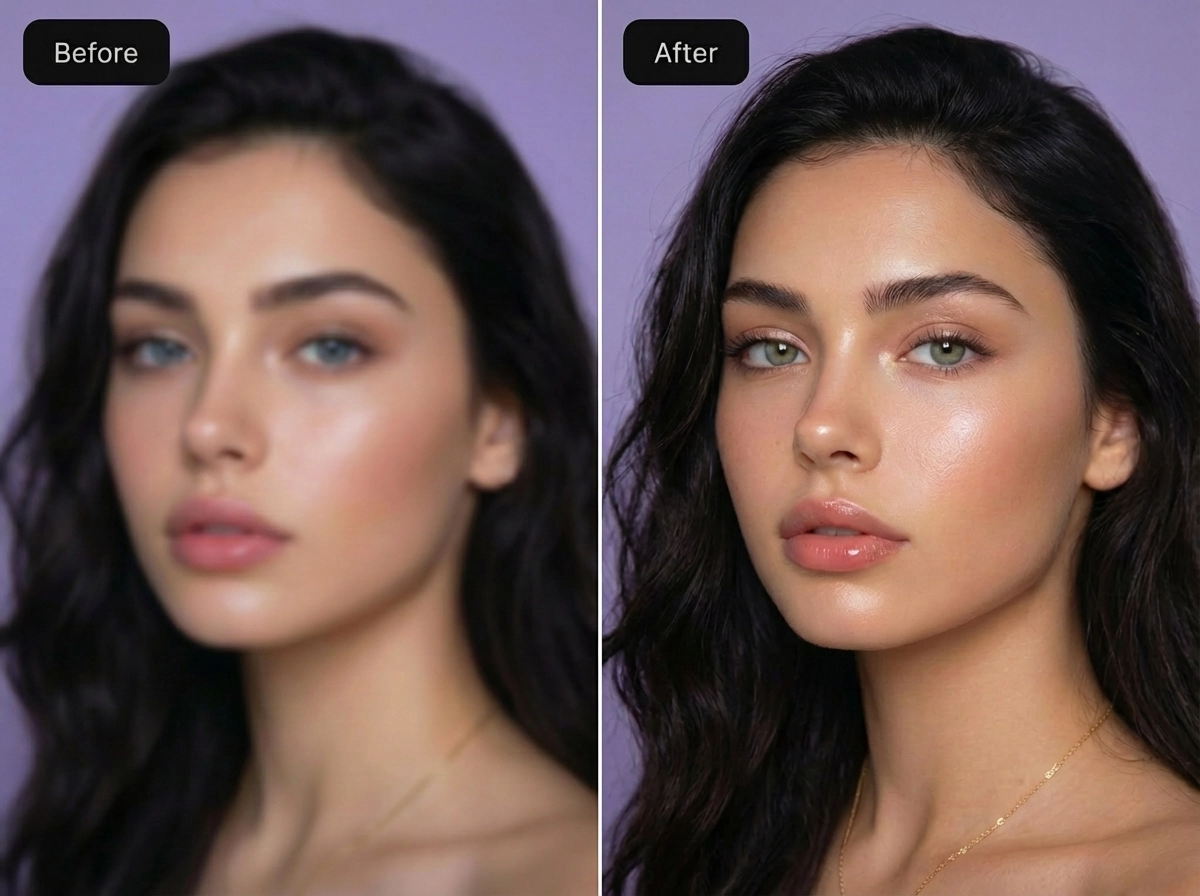
Product Introduction
- Overview: Unblur Image is a web-based, client-side AI photo restoration tool that utilizes advanced deep learning models, specifically trained convolutional neural networks (CNNs) like DeblurGAN-v2 or NAFNet, to perform blind image deconvolution. It operates directly in the browser, ensuring user privacy by processing images locally without uploading to a server.
- Value: The primary benefit is providing immediate, high-fidelity deblurring and upscaling without any barriers to entry, enabling users to salvage otherwise unusable photos for professional or personal use.
Main Features
- AI-Powered Blind Deblurring: The core engine uses a generative adversarial network (GAN) to estimate and reverse various blur kernels—including motion blur, lens defocus, and camera shake—without prior knowledge of the blur type, delivering results in under 5 seconds.
- Multi-Scale Face Recovery: Incorporates a specialized face prior module that detects facial landmarks and applies targeted enhancement to eyes, skin texture, and hair, using models like GFP-GAN to preserve natural skin tones and avoid the "plastic" look common in over-processed portraits.
- Lossless AI Upscaling: Integrates a super-resolution component (e.g., based on ESRGAN or Real-ESRGAN) that performs 2x or 4x upscaling concurrently with deblurring. This multi-task learning approach enhances fine details and textures during enlargement, rather than simply interpolating pixels.
Problems Solved
- Challenge: Salvaging valuable images degraded by common photographic errors (motion blur, poor focus) or low-resolution sources, which traditional filters like Unsharp Mask cannot adequately correct.
- Audience: E-commerce sellers, real estate photographers, content creators, archivists, and everyday users who need to improve the clarity of product shots, portraits, documents, or historical photos without learning complex software like Adobe Photoshop or Topaz Sharpen AI.
- Scenario: A user needs to submit a clear headshot for a professional profile but only has a slightly blurry selfie. Using this tool, they can recover facial detail, reduce noise, and upscale the image to meet platform resolution requirements in one workflow.
Unique Advantages
- Strengths & Limitations:
- Strengths: Zero-cost access with true unlimited usage; entirely browser-based for privacy and speed; streamlined one-click operation ideal for batch processing.
- Limitations: As a free web tool, it may not match the fine-grained control or maximum output resolution of premium desktop software like Topaz Gigapixel AI for extreme enlargements. Effectiveness is dependent on the severity of the original blur and image quality.
- Alternatives & Differentiation:
- Vs. Let's Enhance & VanceAI: Differentiates by being completely free with no credit system, watermarks, or mandatory sign-ups, while offering comparable core AI deblurring.
- Vs. Traditional Editors (GIMP): Provides a specialized, automated solution for a complex problem that would require manual expertise and time in a general-purpose editor.
- Technical Edge: The integration of deblurring and super-resolution into a single, real-time inference model is a key technical distinction, optimizing for both quality and processing efficiency.
Frequently Asked Questions (FAQ)
- What image formats does the AI unblur tool support? The tool supports common web formats including JPG, PNG, and WebP. Uploads are processed directly in your browser for privacy.
- Is there a limit to how many images I can unblur for free? No, the service is completely free with no usage limits, credit systems, or mandatory account creation.
- Can the AI tool unblur text in documents or screenshots? Yes, the AI model is effective at deconvolving blurry text, making it useful for enhancing screenshots, scanned documents, or photos of whiteboards and signs.