Product Introduction
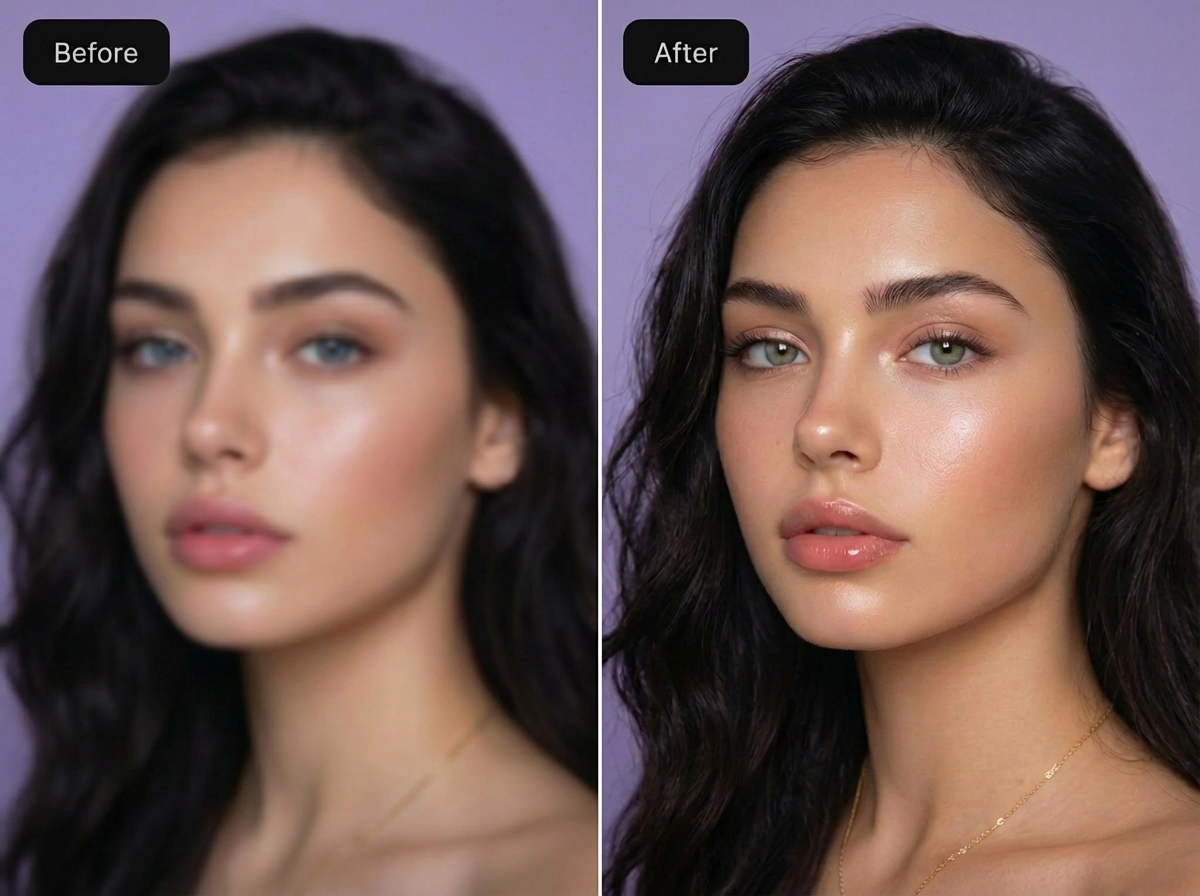
- Overview: Picture Enhancer is a web-based, AI-powered image processing tool that utilizes deep learning models for photo restoration and enhancement. It falls under the category of SaaS (Software-as-a-Service) computer vision applications.
- Value: The primary benefit is providing professional-grade image quality improvement—specifically deblurring, upscaling, and artifact removal—through an accessible, no-download browser interface, democratizing advanced photo editing for non-experts.
Main Features
- AI Deblur with Intensity Tiers: Employs convolutional neural networks (CNNs) trained to reverse the effects of camera shake, motion blur, and soft focus. The Standard, Strong, and Super intensity options allow users to control the level of algorithmic intervention, with Super tier targeting severe blur scenarios by more aggressively rebuilding high-frequency texture and edge data.
- Smart AI Upscaling (2x / 4x): Uses super-resolution AI models (like ESRGAN variants) to intelligently upscale images. Instead of simple pixel interpolation, it synthesizes plausible new details, making it ideal for increasing resolution for social media banners, e-commerce product zooms, or print materials from low-resolution source files.
- Photo Restoration Engine: Specifically trained on datasets of damaged photographs, this feature targets and reduces visual noise, JPEG compression artifacts, scratches, and color fade. The Strong and Super restore modes are optimized for handling significant degradation common in scanned archival prints and heavily compressed digital images.
Problems Solved
- Challenge: Users often lack the technical skill or expensive software (like Adobe Photoshop with advanced plugins) to effectively fix common photo quality issues like blurriness, low resolution, or physical damage.
- Audience: This tool serves social media content creators, e-commerce sellers, archivists, family historians, and professionals in need of quick image prep for documentation or presentations.
- Scenario: An online seller can upload a small, slightly blurry product photo, use the Smart Upscale (4x) and Standard Deblur modes to create a high-resolution, sharp image suitable for website zoom features, directly improving conversion potential without a reshoot.
Unique Advantages
- Vs Competitors: Unlike many online tools that offer a single, generic "enhance" button, Picture Enhancer provides granular control with three distinct processing modes and three intensity levels per mode. Its transparent credit-based system for successful processing and watermark-free outputs for all users contrasts with competitors who often add logos or have opaque subscription models.
- Innovation: The platform's technical edge lies in its tiered AI model system. Each "Intensity" level likely engages a differently trained or parameterized neural network, allowing for targeted processing that balances detail recovery against the risk of generating unnatural artifacts (a common issue in aggressive AI enhancement).
Frequently Asked Questions (FAQ)
- What image formats does Picture Enhancer support? Picture Enhancer supports common web and digital camera formats including JPG, PNG, and WebP. It processes one image at a time for guest users, with batch processing of up to 10 files available for subscribers.
- Is Picture Enhancer really free to use? Yes, Picture Enhancer offers free access via guest trials, providing 3 lifetime enhancement attempts per IP address. For ongoing use, users can sign in to purchase credit packs or subscriptions for more credits and access to advanced features like Super intensity modes and batch processing.
- How does Picture Enhancer protect my uploaded photos? The service states it uses private processing where uploaded images are used solely to complete the enhancement request. It emphasizes secure handling and does not apply watermarks to the downloaded output, though a full privacy policy should be consulted for detailed data retention practices.