Product Introduction
- Overview: Image Editor AI is a browser-based, prompt-driven generative photo editing platform that leverages advanced computer vision and neural rendering models to manipulate raster images.
- Value: It enables users to perform complex photo retouching, object removal, background replacement, and style transfer instantly without requiring manual masking, layer manipulation, or prior graphic design experience.
Main Features
- AI Object Remover: Precisely erases unwanted elements, blemishes, or people from photos and intelligently inpaints the background for seamless visual consistency.
- Smart Background Replacer: Automatically segments subjects from their original context using semantic segmentation and generates new, context-aware backdrops with matching ambient lighting.
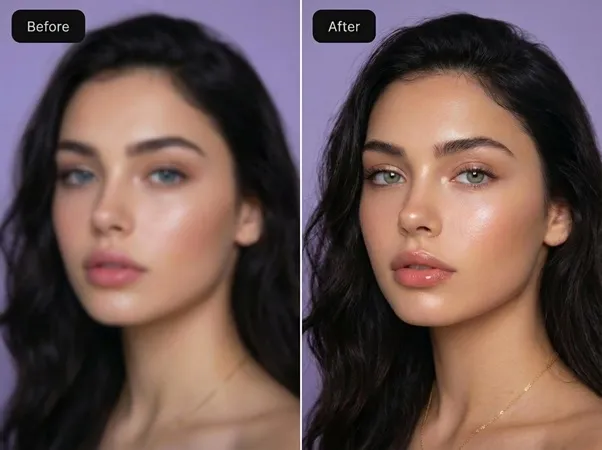
- Photo Restoration & Enhancement: Repairs damaged, faded, or low-resolution historical photographs by recovering lost facial details, fixing scratches, and upscaling pixel density using generative adversarial networks.
Problems Solved
- Challenge: Traditional raster editing software (such as Adobe Photoshop) has a steep learning curve and requires tedious, time-consuming manual masking and brushwork.
- Audience: Content creators, e-commerce store owners, real estate agents, marketers, and casual users who need professional-grade photo edits quickly.
- Scenario: Automatically isolating a product on a pure white background for an e-commerce catalog or rapidly removing a photobomber from a landscape snapshot via a simple text prompt.
Unique Advantages
- Strengths & Limitations: Offers completely free, watermark-free access with daily credit refreshes and no forced sign-up for basic use; however, heavy power users may hit daily generation limits without upgrading to a paid tier.
- Alternatives & Differentiation: Unlike conventional web editors that rely on static templates or complex filter sliders, Image Editor AI uses conversational natural language prompts and multi-image reference inputs for contextual, high-fidelity image composition.
Frequently Asked Questions (FAQ)
- Do I need to create an account to use Image Editor AI? No, you can start editing photos immediately without signing up, though registering allows you to save and reuse your edits.
- Is there a watermark on the exported images? No, Image Editor AI provides high-quality output exports completely free of watermarks.
- What types of file formats are supported for image uploads? The platform supports standard web raster formats including PNG, JPG, and WebP, with file sizes up to 20MB per reference image.