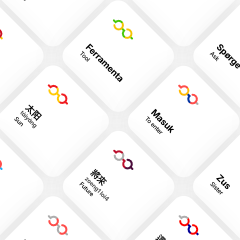
Product Introduction
- Definition: Brill is a mobile application (iOS) in the language learning category, specifically designed as a vocabulary-first widget that integrates directly with iPhone Home Screens and Lock Screens. It operates without traditional lessons, instead leveraging passive exposure and active recall techniques.
- Core Value Proposition: Brill exists to transform idle phone interactions into consistent language practice by delivering curated vocabulary through glanceable widgets. Its primary keywords include "vocabulary-first language learning," "passive language exposure," and "Home Screen language widget."
Main Features
Home Screen & Lock Screen Widgets:
- How it works: The widget displays 1 vocabulary word/phrase at a time, pulling from Brill’s database of 15 languages. Words update automatically (daily/weekly) or manually.
- Technology: Uses iOS WidgetKit for real-time rendering and SwiftUI for seamless integration with Apple’s ecosystem. Supports light/dark/clear modes for UI adaptability.
Active Recall System:
- How it works: Users can blur English translations (tappable to reveal), forcing memory retrieval. Customizable filters enable topic-based word selection (e.g., "travel," "food").
- Technology: Implements Core Data for local storage of user-added vocabulary and tag-based filtering algorithms.
Multilingual Customization:
- How it works: Supports 15 languages (including Cantonese, Hokkien, Korean, Japanese) with 365+ free words per language. Pro users add unlimited custom terms (e.g., industry jargon).
- Technology: Utilizes Unicode-compliant text rendering for non-Latin scripts and cloud sync via Firebase for cross-device consistency.
Problems Solved
- Pain Point: Addresses "time poverty" in language learning by eliminating dedicated study sessions. Solves "vocabulary stagnation" with contextually relevant words.
- Target Audience:
- Busy professionals needing practical vocabulary for travel/work.
- Visual learners who retain information through repetition.
- Heritage speakers reconnecting with languages like Hokkien or Cantonese.
- Use Cases:
- Learning Mandarin food terms during coffee breaks via Lock Screen glances.
- Adding business Spanish phrases for an upcoming meeting.
- Reviewing German nouns during commute downtime.
Unique Advantages
- Differentiation: Unlike Duolingo (exercise-based) or Memrise (flashcards), Brill requires zero active engagement—words integrate organically into device usage. Competitors lack Lock Screen integration and blur-for-recall functionality.
- Key Innovation: Patented "passive-active" learning model combining micro-exposures (Home Screen) with on-demand active recall (blurred translations). This leverages spaced repetition principles without user configuration.
Frequently Asked Questions (FAQ)
How does Brill’s widget update with new vocabulary words?
Words auto-cycle daily in free mode; Pro users customize frequency (e.g., weekly) or manually cycle terms. Updates occur via background refresh synchronized with iOS.What languages does Brill support for vocabulary learning?
Brill offers 15 languages, including niche options like Hokkien and Cantonese, with real-world terms (e.g., "yeogwon" [passport] in Korean, "saam1" [shirt] in Cantonese).Can I add custom vocabulary words in Brill?
Yes, Pro subscribers add unlimited custom words/phrases (e.g., "negotiation terms in Japanese"), tag them (e.g., #Business), and filter existing vocabulary by topic.Is Brill’s Lock Screen widget available for free users?
No—Lock Screen widgets and active recall features (blur-translations) require Brill Pro ($0.99/month), which also unlocks unlimited words and cycle controls.How does Brill ensure vocabulary relevance for daily use?
Words are curated for real-life utility (e.g., "Chaud" [Hot] in French, "Cepat" [Quick] in Malay), with user-driven customization to prioritize personal needs like travel or dining.