
Product Introduction
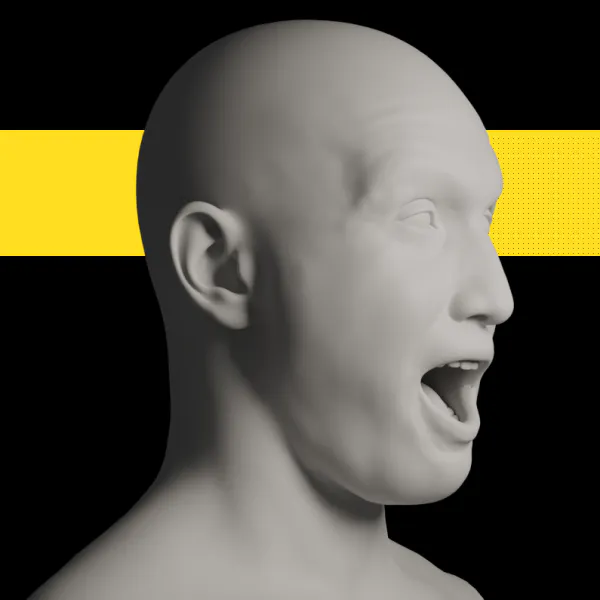
- Definition: Audio Lip Sync Pro is a commercial Blender add-on, specifically a local AI-powered lip-sync animation generator. It automates the process of creating phoneme-based facial animation by analyzing audio files and generating corresponding ARKit-compatible blendshape keyframes directly within Blender's Video Sequencer.
- Core Value Proposition: It exists to solve the time-consuming and technically challenging problem of manual lip-syncing for 3D animators and indie developers. Its primary value is offering a one-time purchase, offline lip-sync solution for Blender that provides professional-grade results without recurring subscriptions or cloud dependencies, ensuring data privacy and perpetual usability.
Main Features
- Local Audio Processing Engine: All audio analysis and keyframe generation is performed entirely on the user's local machine. This feature utilizes on-device AI models to process audio, meaning no audio data is ever uploaded to external servers. This guarantees complete privacy, allows for work without an internet connection, and eliminates latency associated with cloud-based services.
- ARKit Blendshape Integration: The add-on is specifically designed to work with meshes rigged using the Apple ARKit blendshape standard (52 facial shape keys). It analyzes the audio's phonemes and visemes and automatically creates precise keyframes for the relevant blendshapes (e.g.,
mouthSmile_L,jawOpen,mouthPucker) in the Blender timeline, syncing mouth movements to the spoken audio. - Multilingual Audio Support & Sequencer Workflow: The tool supports audio clips in multiple languages, with optimized performance noted for English and Mandarin Chinese. It operates within Blender's Video Sequencer (VSE); users simply import an audio strip and use the add-on's panel to generate animation for a selected ARKit-rigged mesh, creating a non-destructive, sequencer-driven animation workflow.
Problems Solved
- Pain Point: Manually animating lip-sync for dialogue is an extremely tedious, frame-by-frame process that requires significant artistic skill and time. Traditional methods are prone to inaccuracies and are a major bottleneck in character animation pipelines, especially for solo creators or small studios.
- Target Audience: The primary users are independent 3D animators, Blender hobbyists, indie game developers, and small animation studios creating content for games, films, or digital avatars (VTubing, virtual assistants). It is also highly relevant for developers working on real-time applications who use ARKit-standard rigs.
- Use Cases: Essential for quickly prototyping and finalizing character dialogue in animated short films, generating facial animation for indie game NPCs, creating talking avatar videos for social media or explainer content, and pre-visualizing voiceovers in a 3D storyboard within Blender.
Unique Advantages
Strengths & Limitations (Pros & Cons):
- Pros: One-time purchase model ($40) with no subscription. 100% offline processing ensures speed, privacy, and future-proof access. Direct Blender integration streamlines the workflow without file exports. Strong support for key languages like English and Chinese.
- Cons: Currently exclusively supports ARKit blendshape rigs, limiting use with other facial rigging systems. The free version is restricted to 5-second audio clips. It is a Blender-only solution (as of this review), with Unity and Maya versions announced but not yet released.
Key Alternatives & Differentiation:
- Adobe Character Animator: A powerful, subscription-based tool with live performance capture. Audio Lip Sync Pro differentiates by being a purchase-once tool focused on post-production audio analysis within a 3D DCC (Blender), not a live performance suite.
- Rhubarb Lip Sync (Free/Open Source): A free, command-line tool that generates mouth shapes from audio. Audio Lip Sync Pro provides a superior integrated GUI within Blender, direct ARKit keyframe output, and more advanced, locally-run AI models compared to Rhubarb's simpler phoneme detection.
- Cloud-based AI Services (e.g., Reallusion's AccuLIPS): Many services offer lip-sync via cloud API. Audio Lip Sync Pro's core advantage is its offline operation, eliminating subscription fees, internet requirements, and concerns about uploading sensitive audio data.
Frequently Asked Questions (FAQ)
- Does Audio Lip Sync Pro for Blender require an internet connection? No. Audio Lip Sync Pro performs all audio processing and lip-sync generation locally on your computer. No internet connection, account, or cloud subscription is required at any point.
- What facial rig does Audio Lip Sync Pro work with in Blender? It is specifically designed for meshes using the ARKit blendshape standard (52 shape keys). Your Blender character mesh must be rigged with these specific blendshape names for the add-on to generate keyframes correctly.
- What is the difference between the free and paid version of Audio Lip Sync Pro? The free version is fully functional but limits audio processing to the first 5 seconds of any audio clip. The paid, full version ($40) removes this limit, allowing for lip-sync generation from audio files of any length.
- Can I use Audio Lip Sync Pro for languages other than English? Yes, the add-on supports multilingual audio. The developer notes it has particularly strong performance with English and Mandarin Chinese audio, but it can process other languages as well, with varying degrees of accuracy.
- How do I get the add-on after purchasing Audio Lip Sync Pro? After completing the one-time purchase, the download link is sent directly to the email address provided at checkout. You then install the
.zipfile through Blender's Preferences > Add-ons menu.


