Product Introduction
- Overview: Image to Layers AI is a cloud-based computer vision platform that utilizes advanced AI models to perform semantic image segmentation and layer decomposition. It transforms raster images (JPG, PNG, WebP) into a stack of aligned, transparent RGBA layers.
- Value: It automates the labor-intensive process of manual masking and cutouts in software like Adobe Photoshop, delivering production-ready, editable assets in seconds, directly in a web browser.
Main Features
- Multi-Mode Layer Engine: Offers three distinct AI workflows: 'Agent Layers' for plan-based 2-6 layer splits, 'Qwen Image Layers' for fast 1-10 layer generation, and 'VIP Magic Layers' for automatic, intelligent segmentation producing 2-17 named layers with depth data.
- Prompt-Guided Segmentation: Users can guide the AI's decomposition process using natural language prompts (e.g., "separate the car from the road and the trees behind"), allowing for customized, intent-aware layer separation.
- Professional-Grade Export: Generates true transparent PNG files with clean alpha channels, eliminating jagged edges. Outputs can be downloaded individually, as a ZIP archive, or as a layered Adobe Photoshop (PSD) file for seamless integration into design pipelines.
Problems Solved
- Challenge: Eliminates hours of manual work using the pen tool or complex masking techniques to isolate elements in a composite image for design, e-commerce, or motion graphics projects.
- Audience: Serves graphic designers, UI/UX designers, motion artists (e.g., Adobe After Effects users), e-commerce managers, and developers who require clean asset separation for apps or websites.
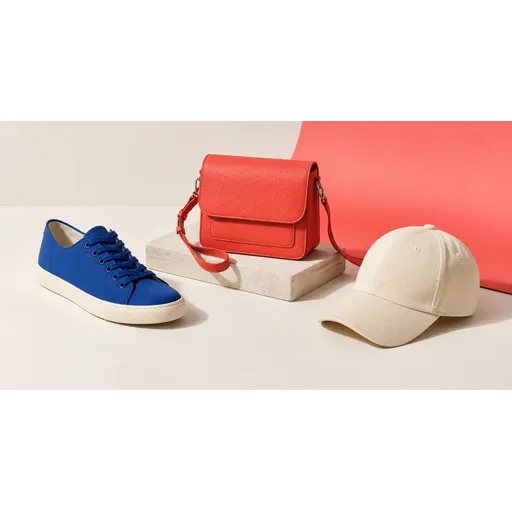
- Scenario: A marketing designer needs to extract a product from its studio shot to place it on a new campaign background. Instead of manual cutouts, they upload the image, use AI to get a perfect PNG layer of the product, and complete the task in under a minute.
Unique Advantages
- Vs Competitors: Unlike simple background removers, it provides a complete layer stack, reconstructing the background as an editable layer and separating multiple mid-ground subjects. The 'Agent' mode's previewable plan offers unmatched control compared to black-box AI tools.
- Innovation: The 'VIP Magic Layers' engine represents a technical edge by performing automatic scene understanding, determining the optimal number of layers (2-17) based on image complexity, and naming them contextually (e.g., "person," "coffee mug," "table"), charging users only for the layers generated.
Frequently Asked Questions (FAQ)
- What file formats does Image to Layers AI support? The tool accepts uploads in JPG, PNG, and WebP format (up to 10MB) and exports layers as transparent PNGs, WebP, or a layered PSD file compatible with Adobe Photoshop.
- Do I own the commercial rights to the layers I create? Starter credits generate public results without commercial licenses. Purchasing any credit pack upgrades all your results to be private and grants full commercial use rights for the extracted layers.
- How does the AI know how to split my image into layers? The platform uses a combination of semantic segmentation models and depth estimation. You can guide it with a text prompt, or in 'VIP Magic' mode, the AI automatically identifies distinct subjects and objects based on visual boundaries and spatial relationships within the image.